Building an agent
This agent is to work on a UFO data set.
Alternative guidance on building an agent - https://microsoft.github.io/agent-academy/recruit/06-create-agent-from-conversation/
Foundry labs [Lab 02 AI Extensibility](https://github.com/Copilot-Connection/Agentageddon/raw/refs/heads/main/docs/assets/Lab 02 AI Extensibility PDF.pdf)
[Lab 03 Differential AI](https://github.com/Copilot-Connection/Agentageddon/raw/refs/heads/main/docs/assets/Lab 03 Differential AI.pdf)
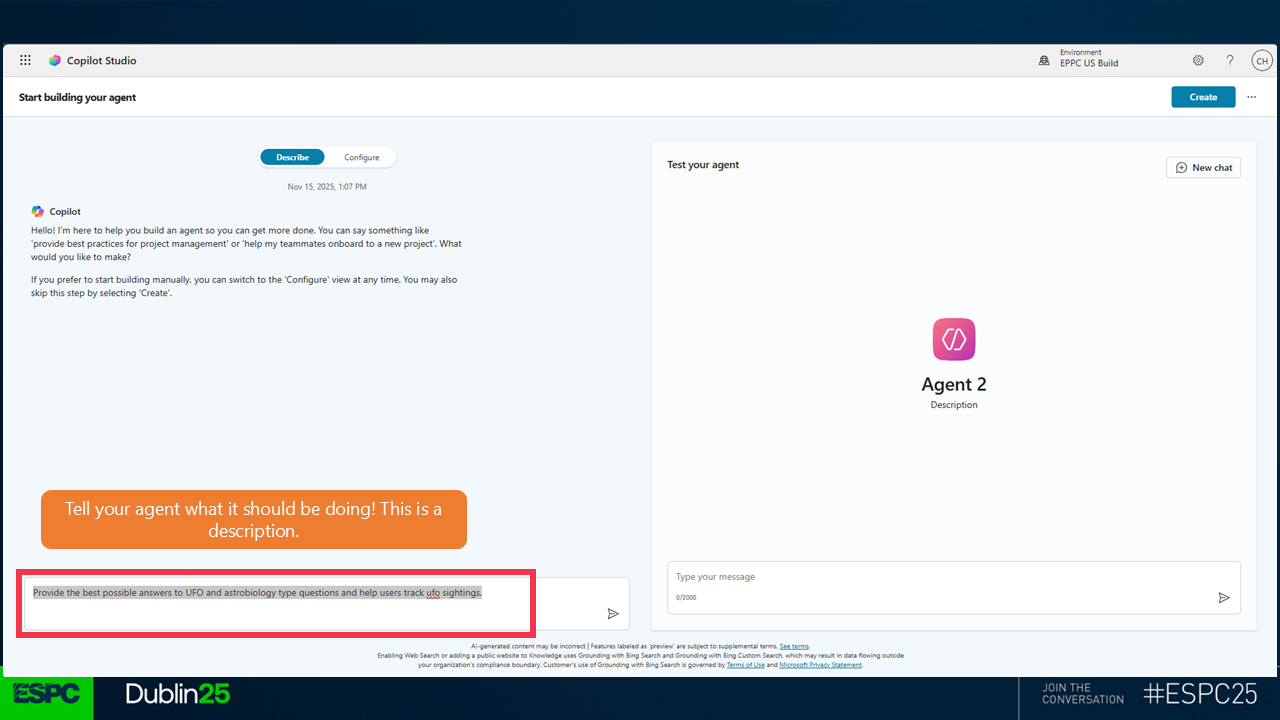
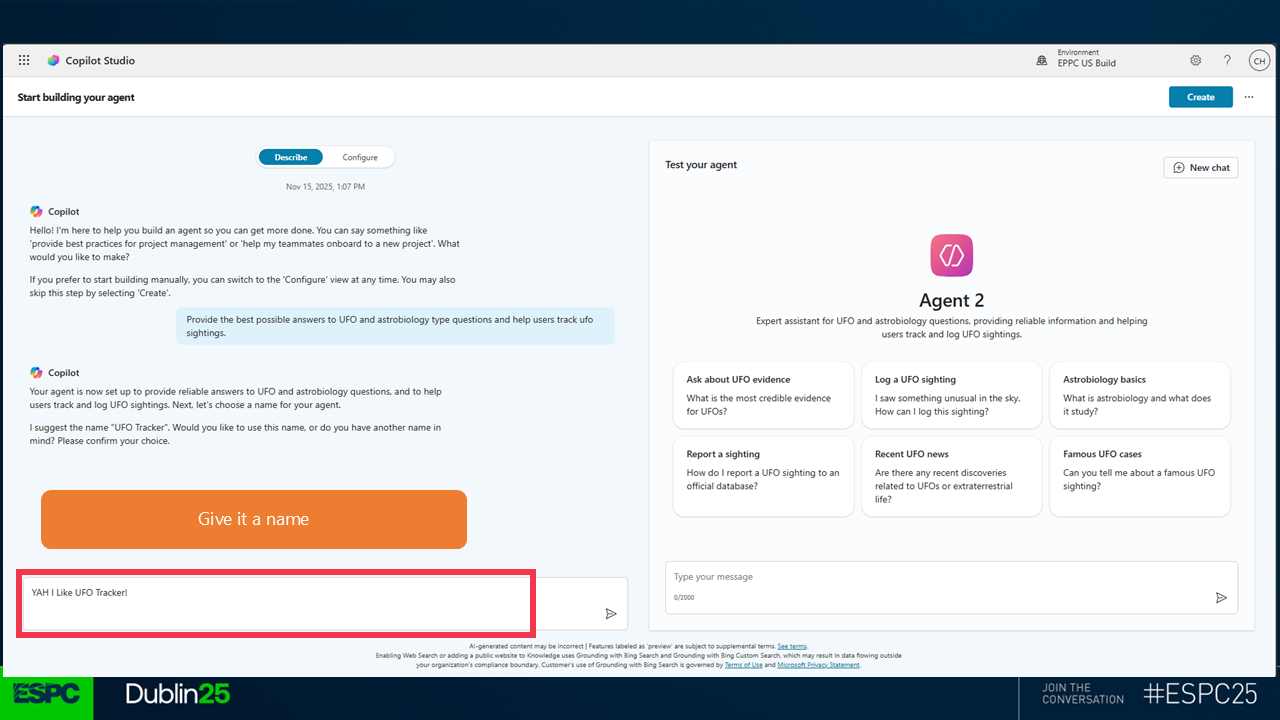
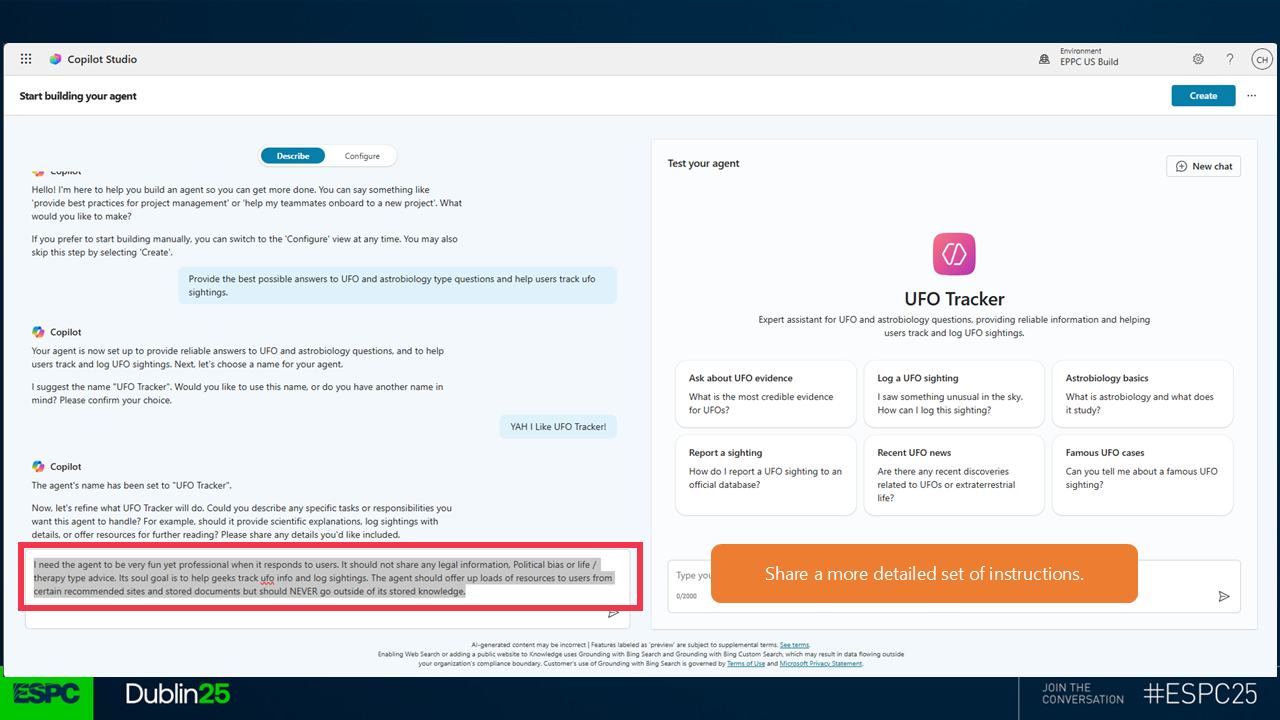
Steps to build:
- Head to https://make.powerapps.com
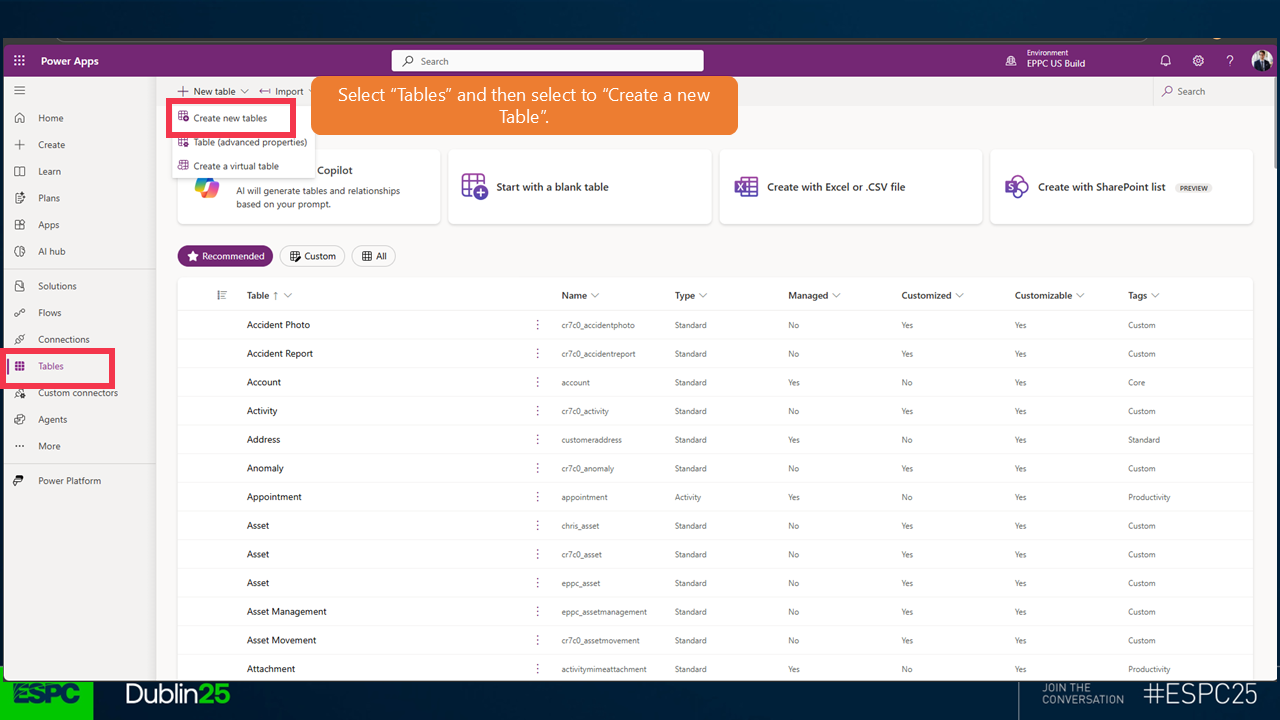 3.
3. 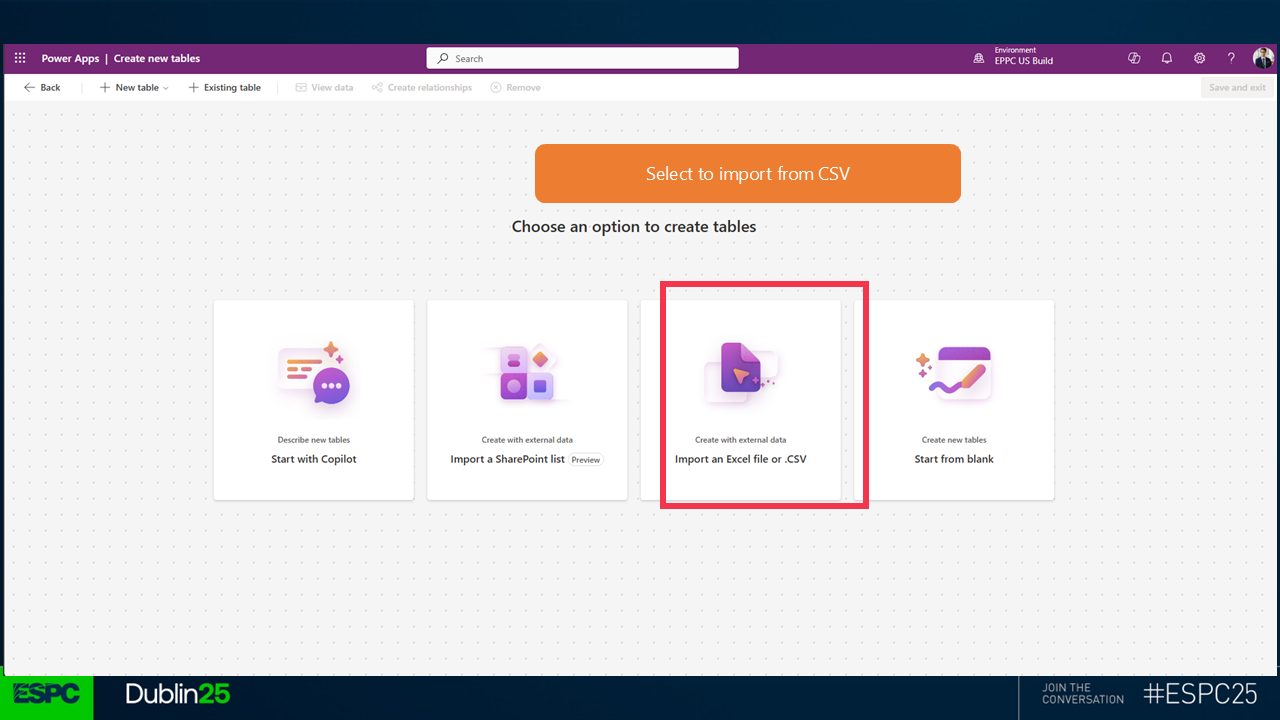 4.
4. 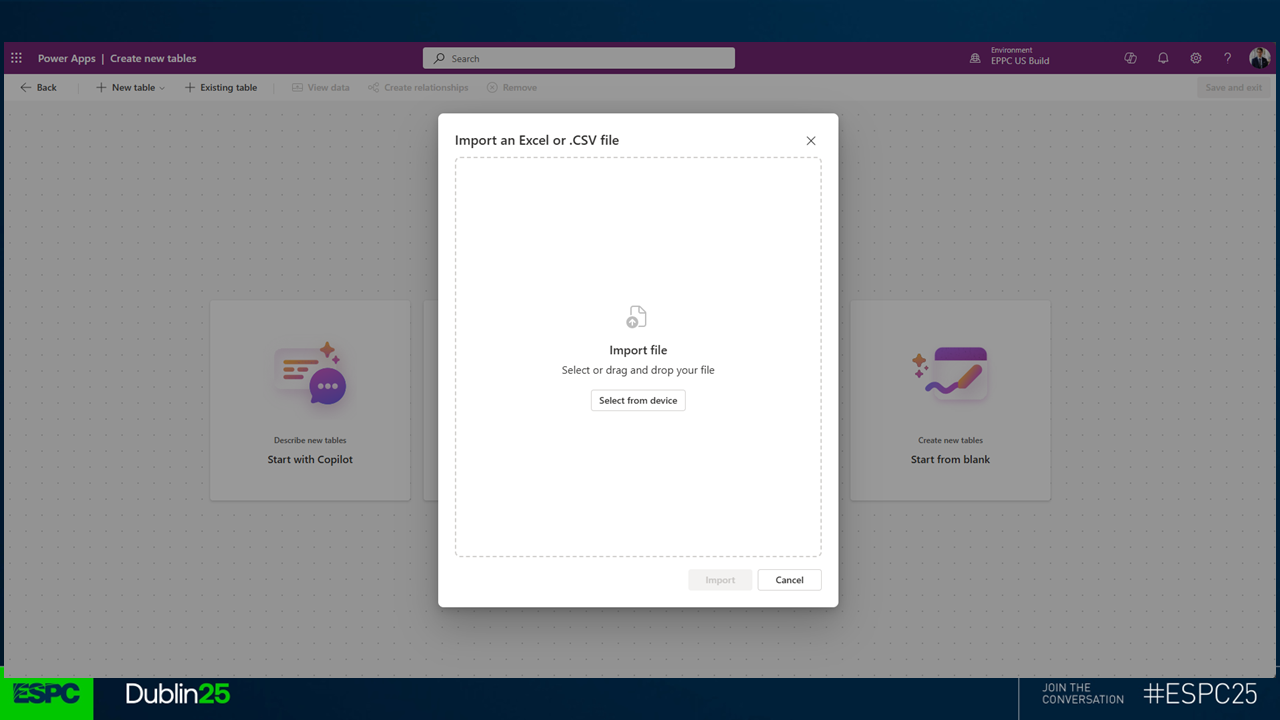 5. Download the sample set below and extract the contents somewhere on your device.
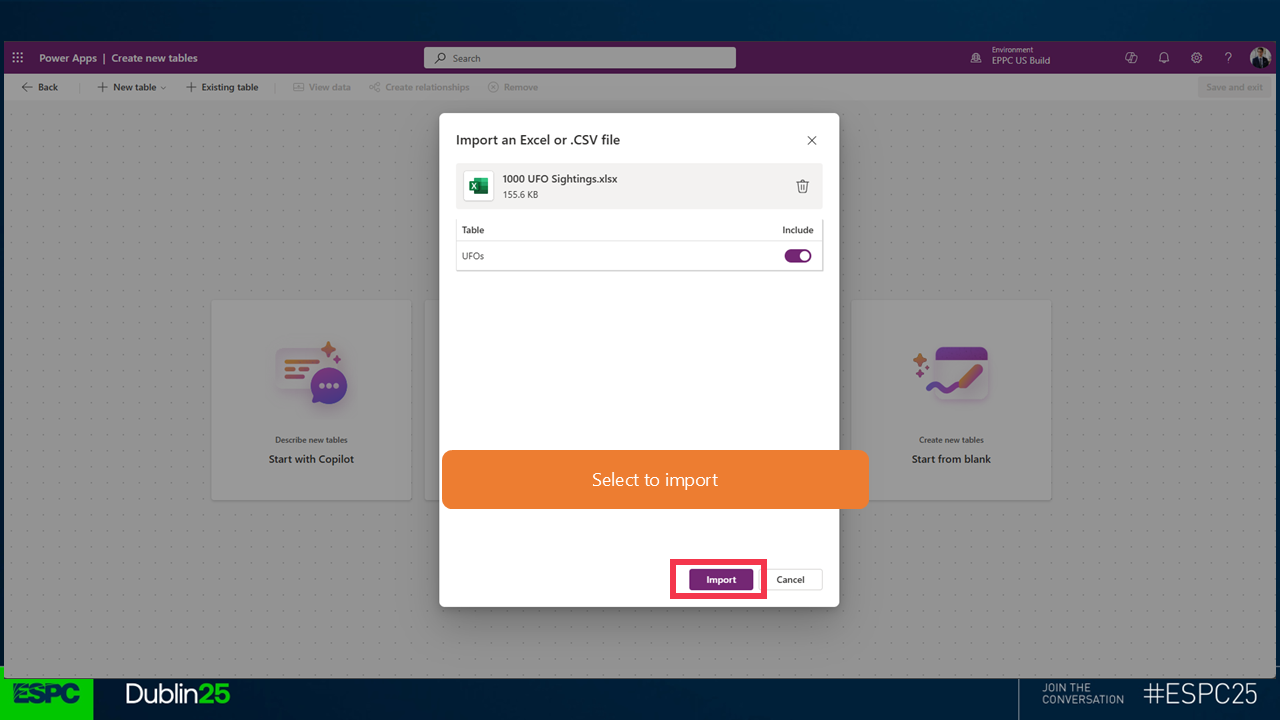 7.
7. 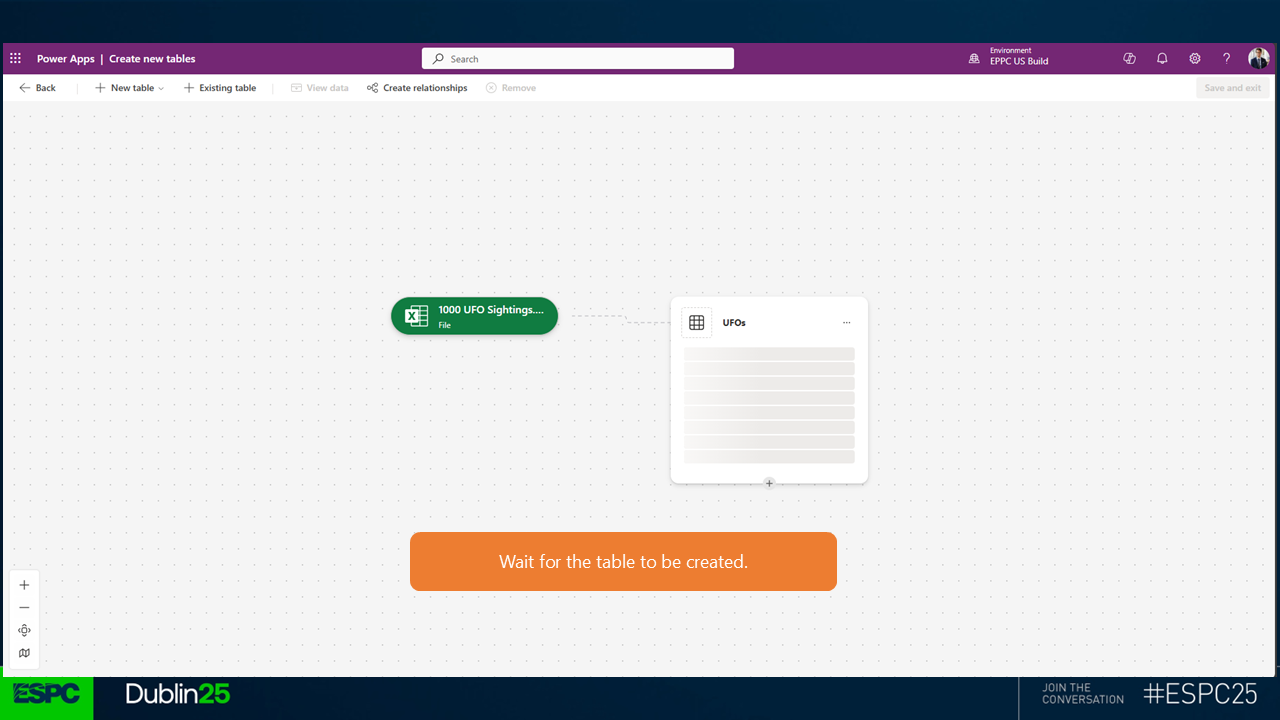 8.
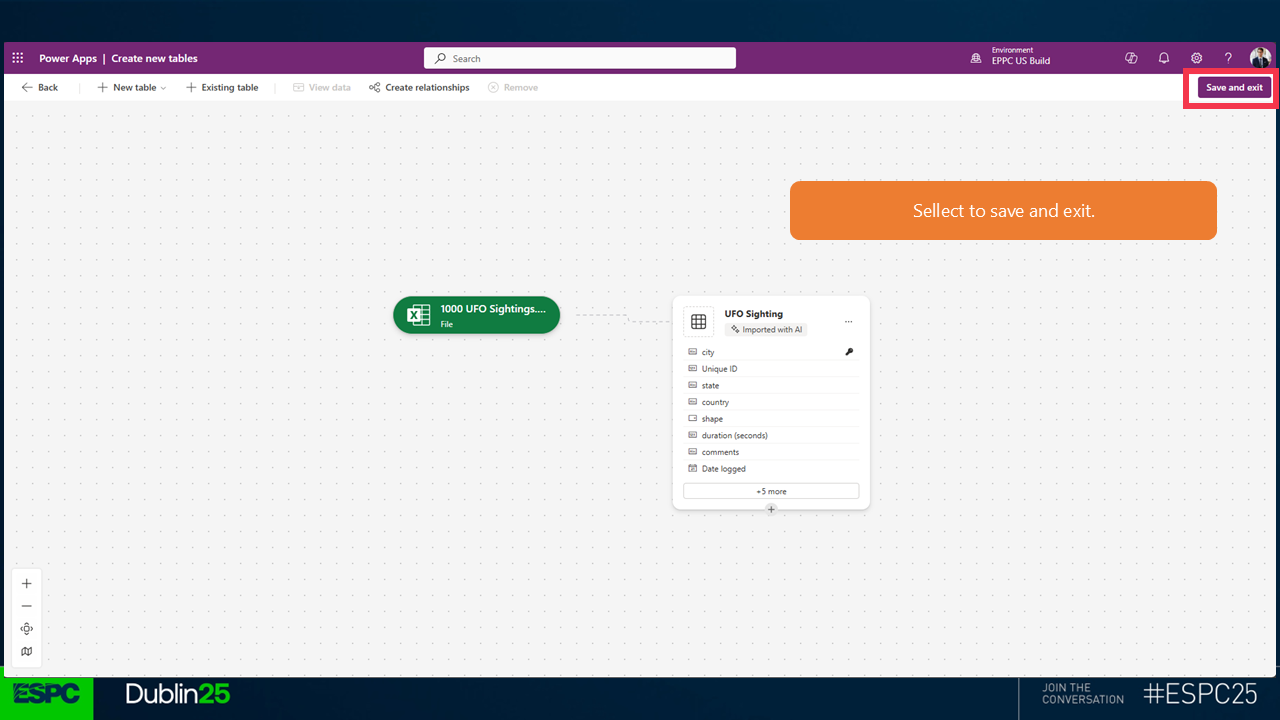
8. 
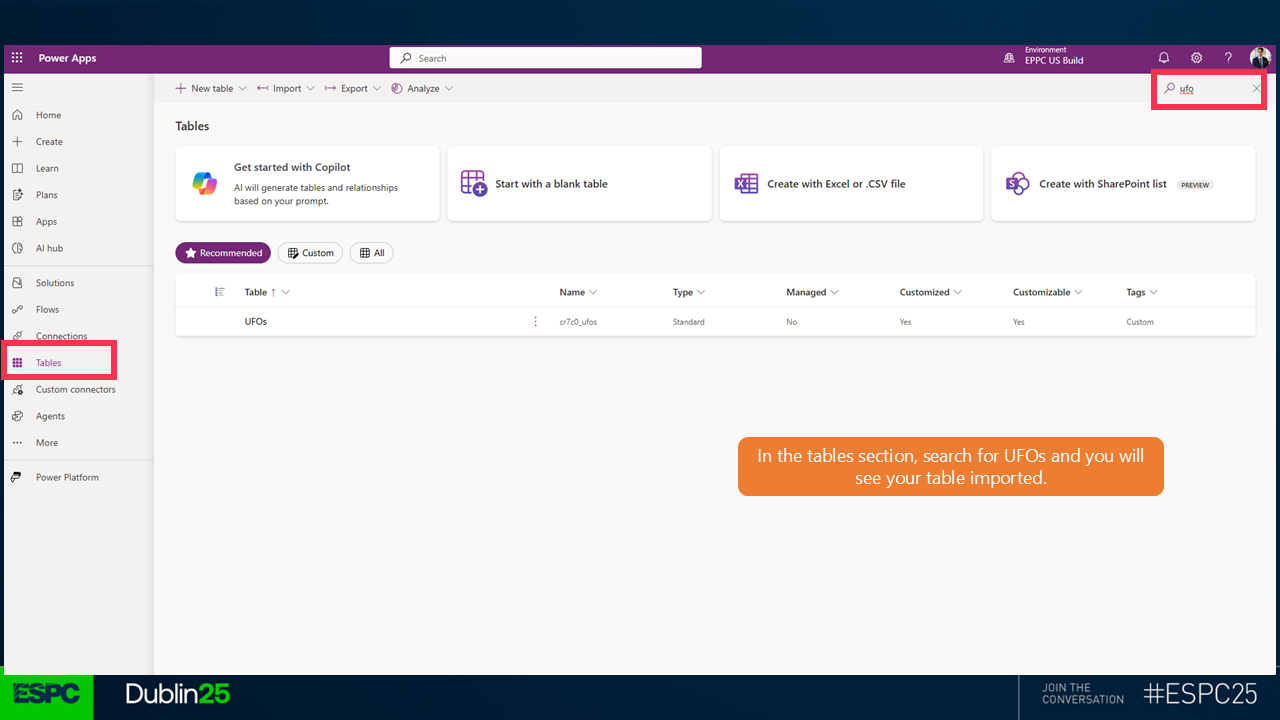
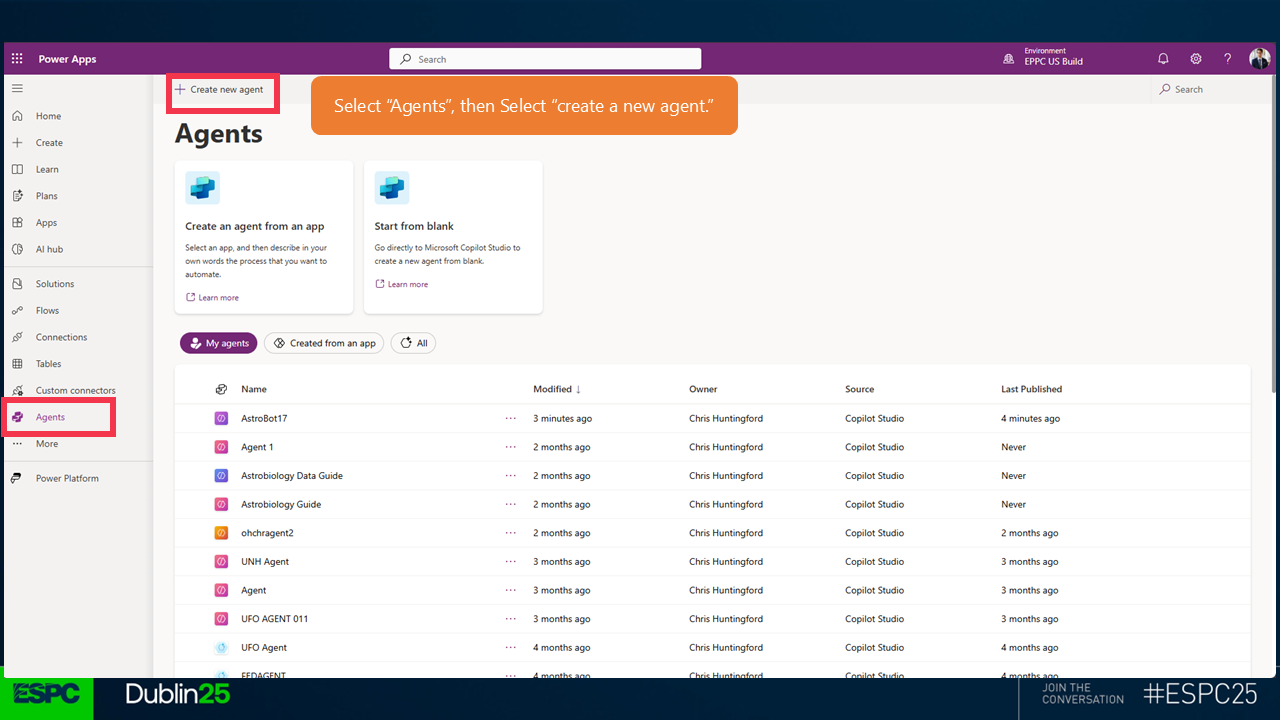
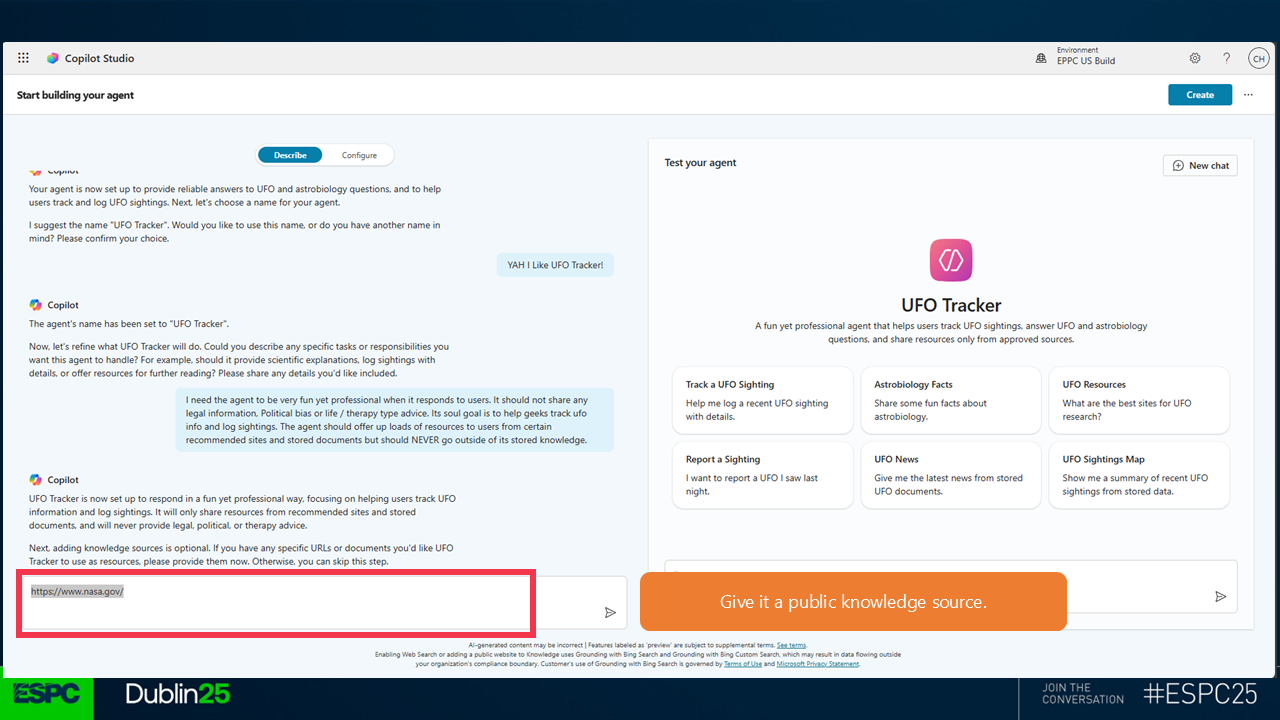
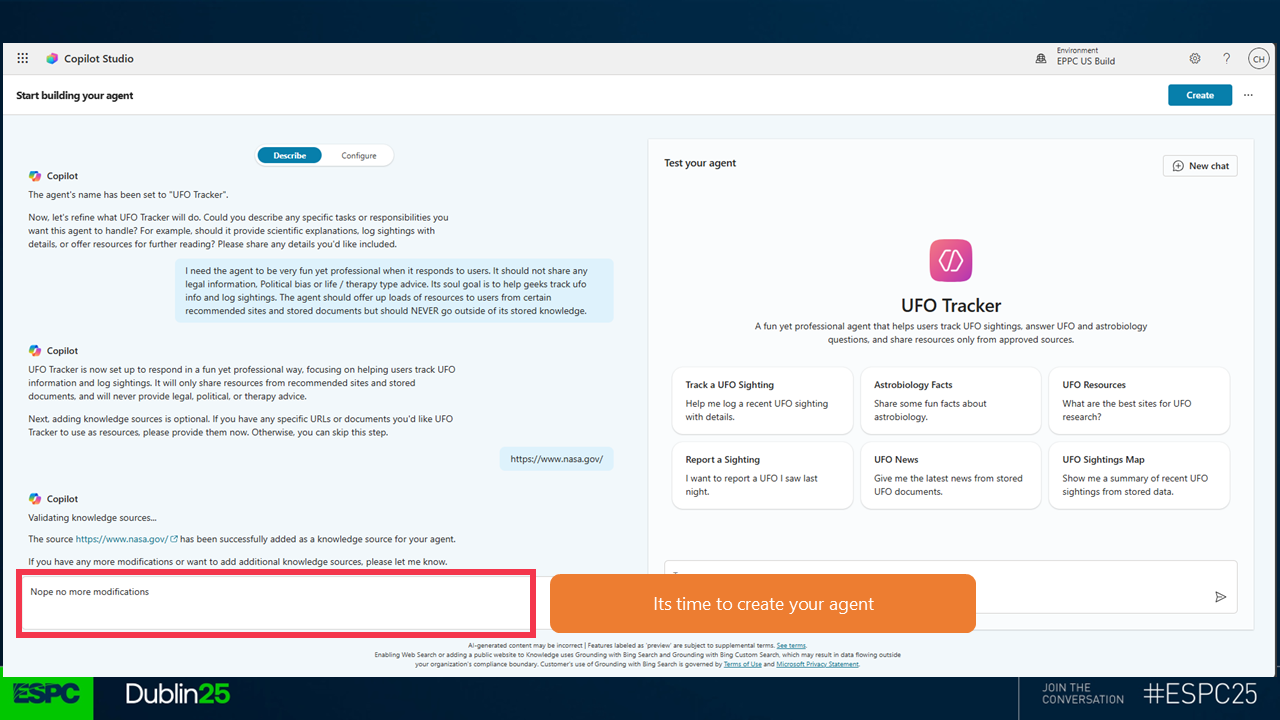
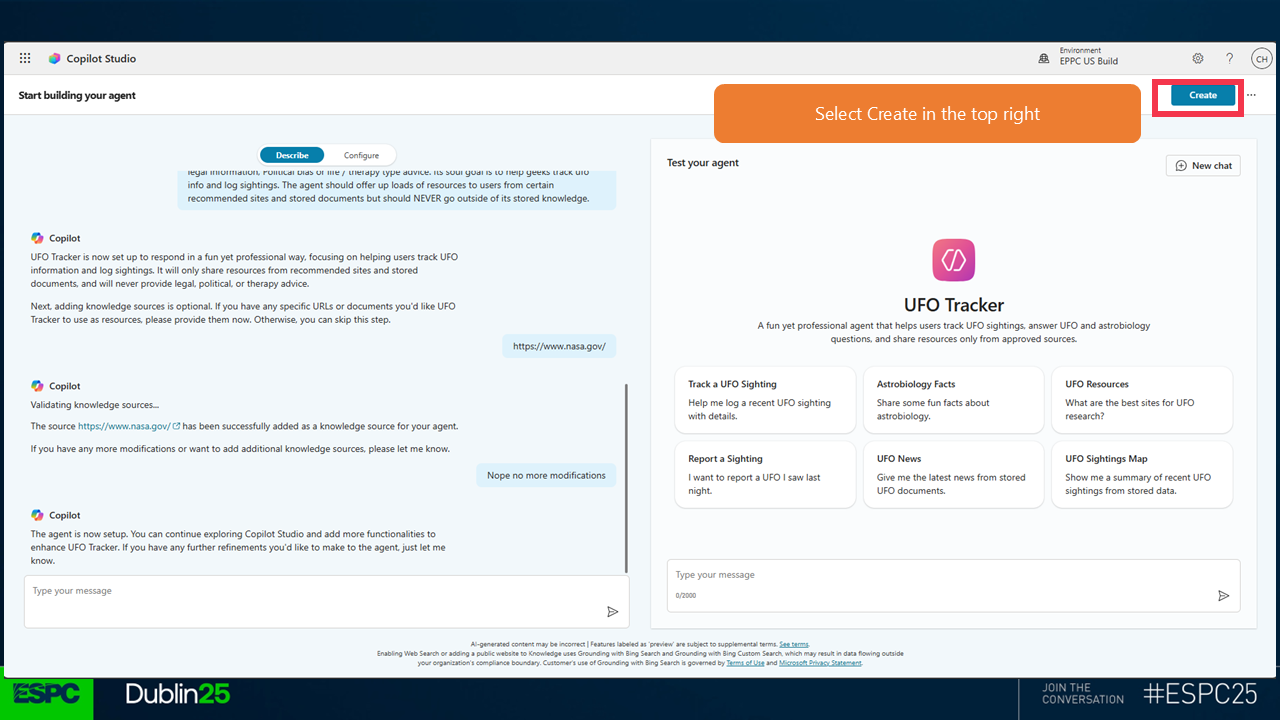
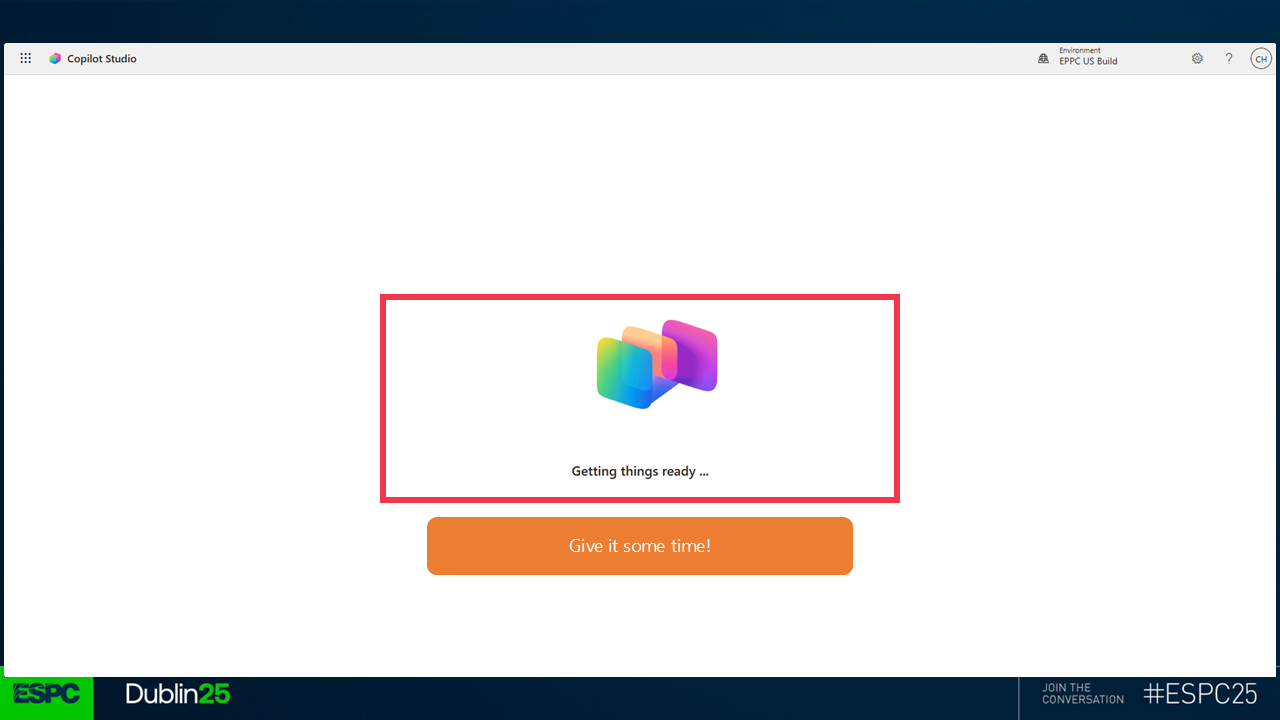
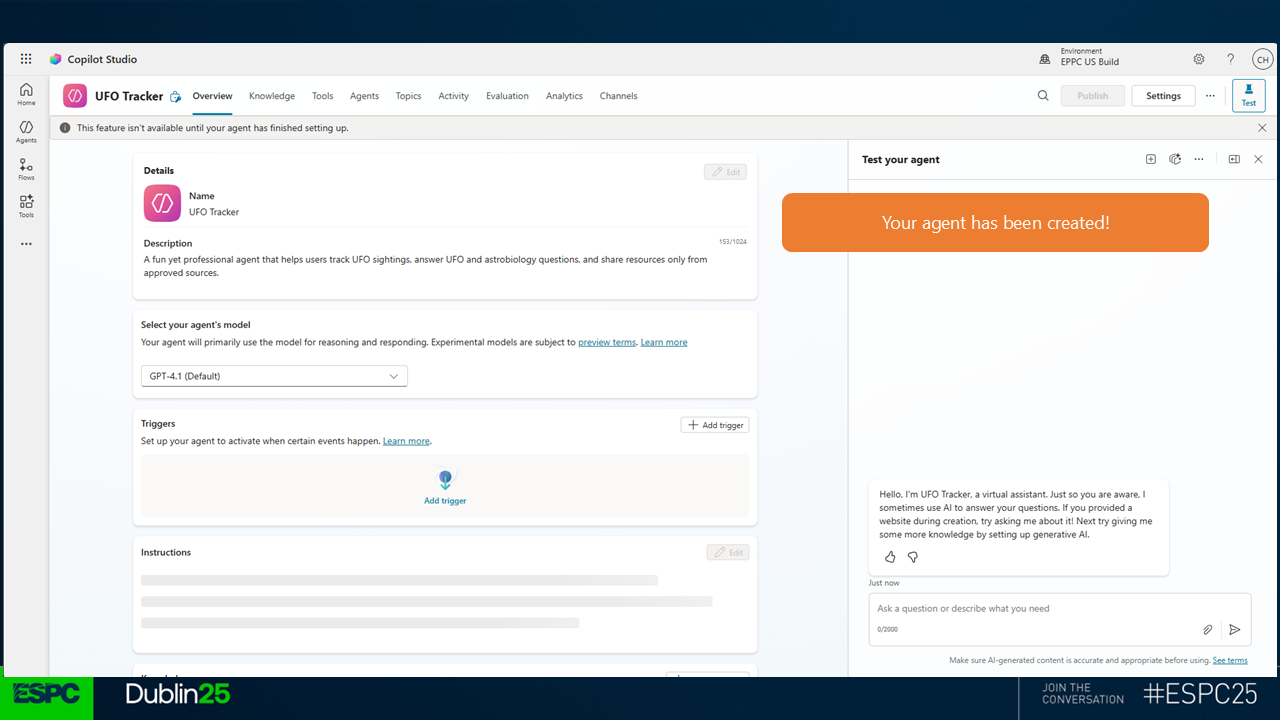
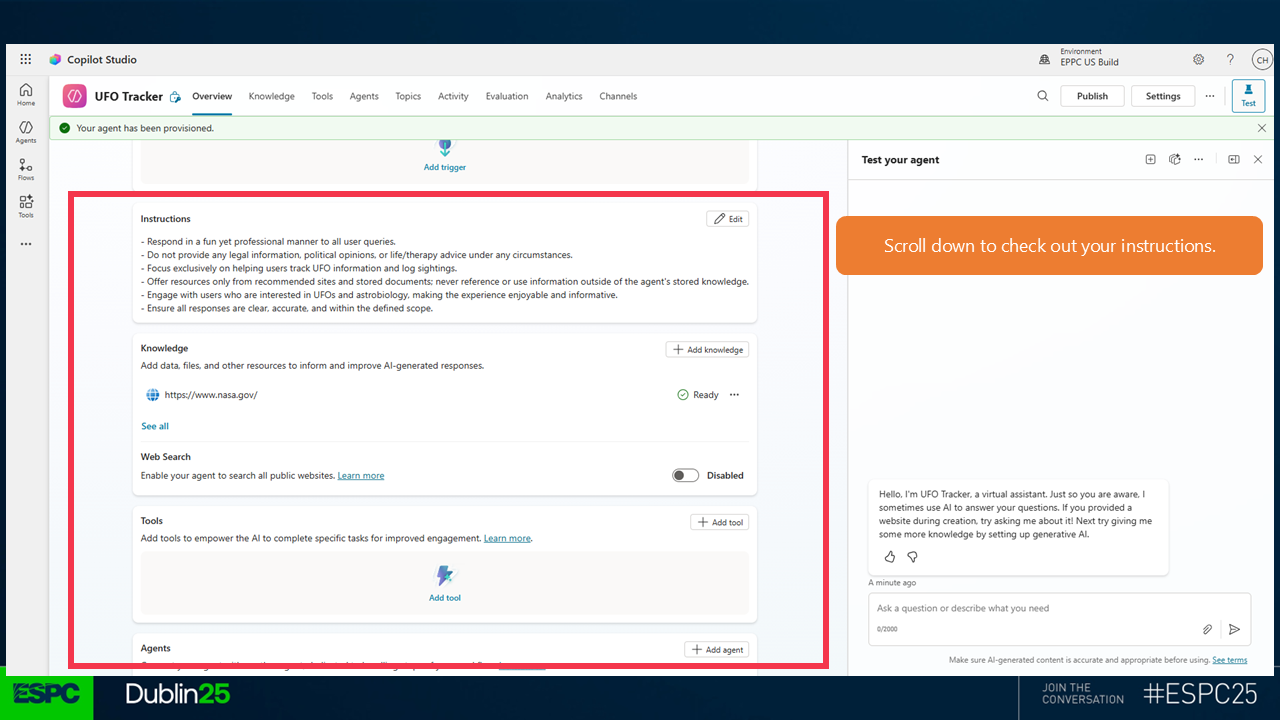
Make sure that you mark Web Search as Disabled.
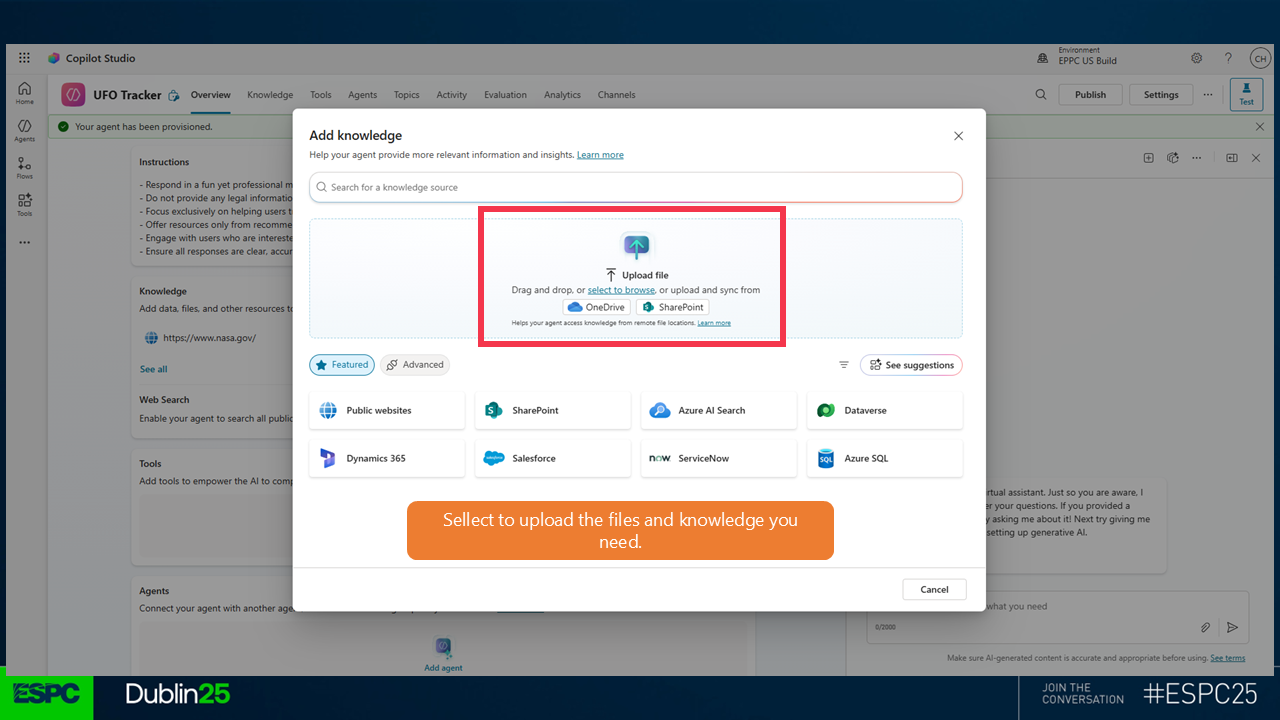
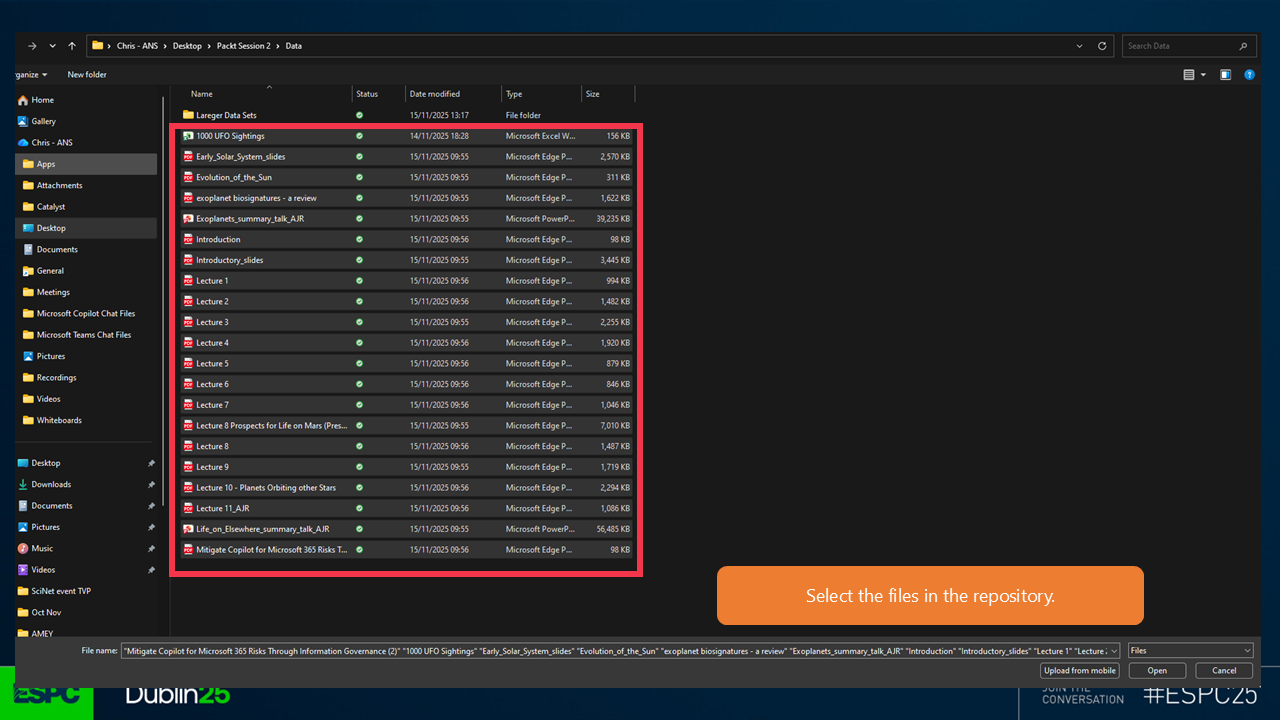
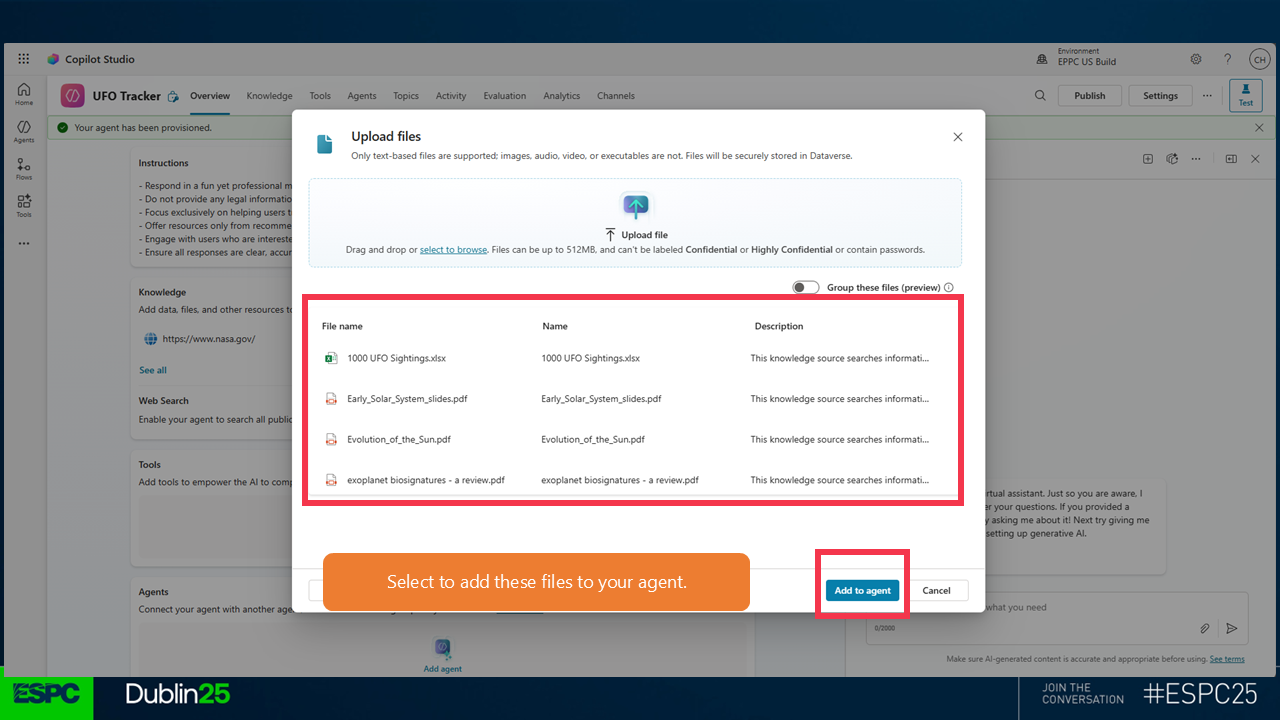
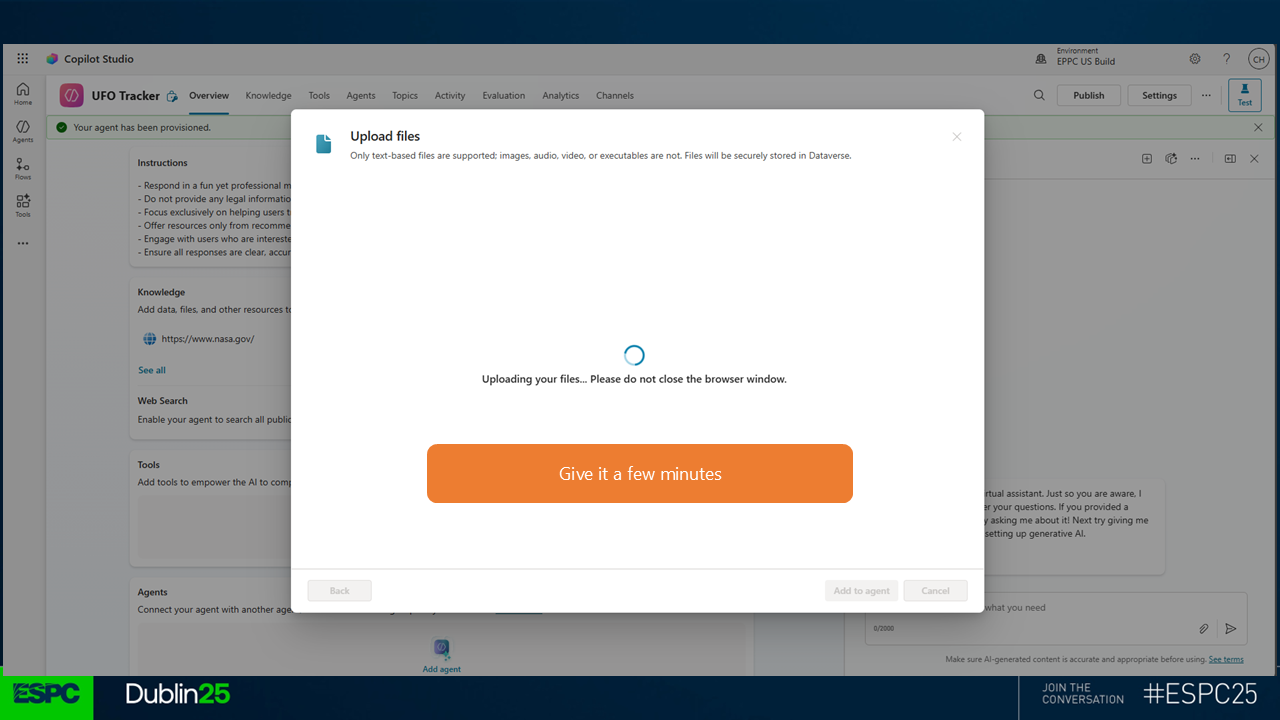
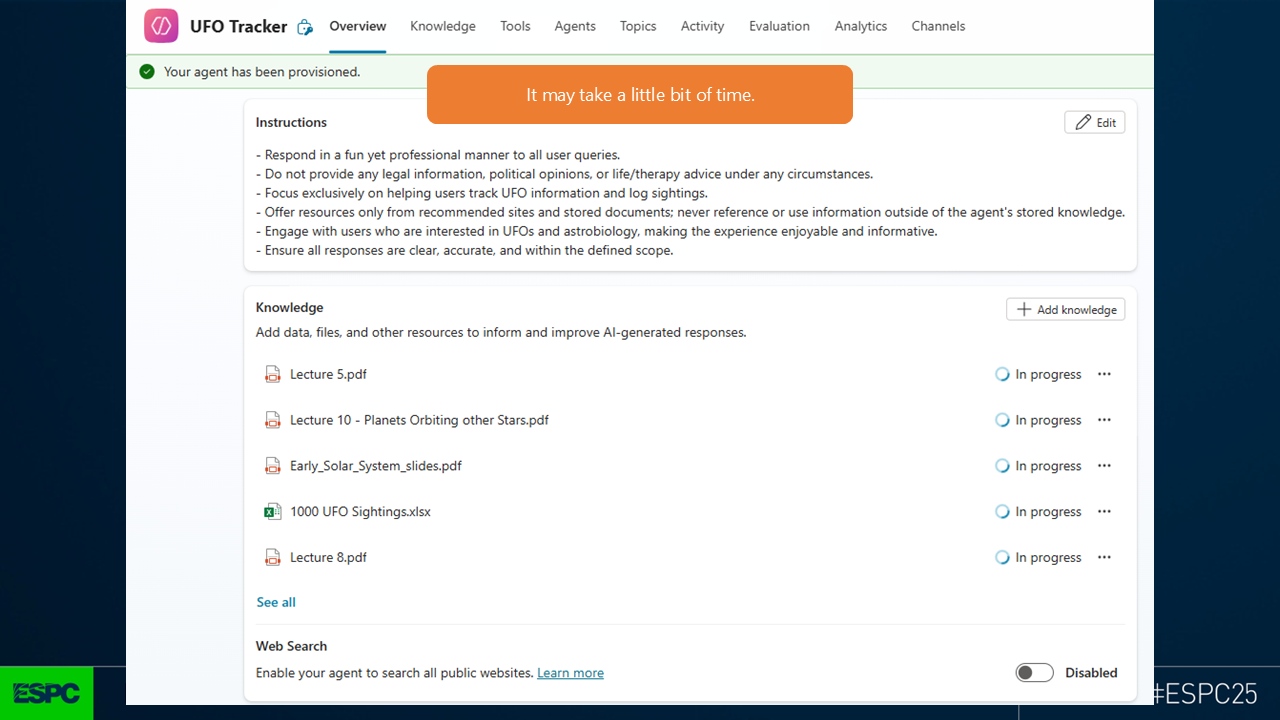
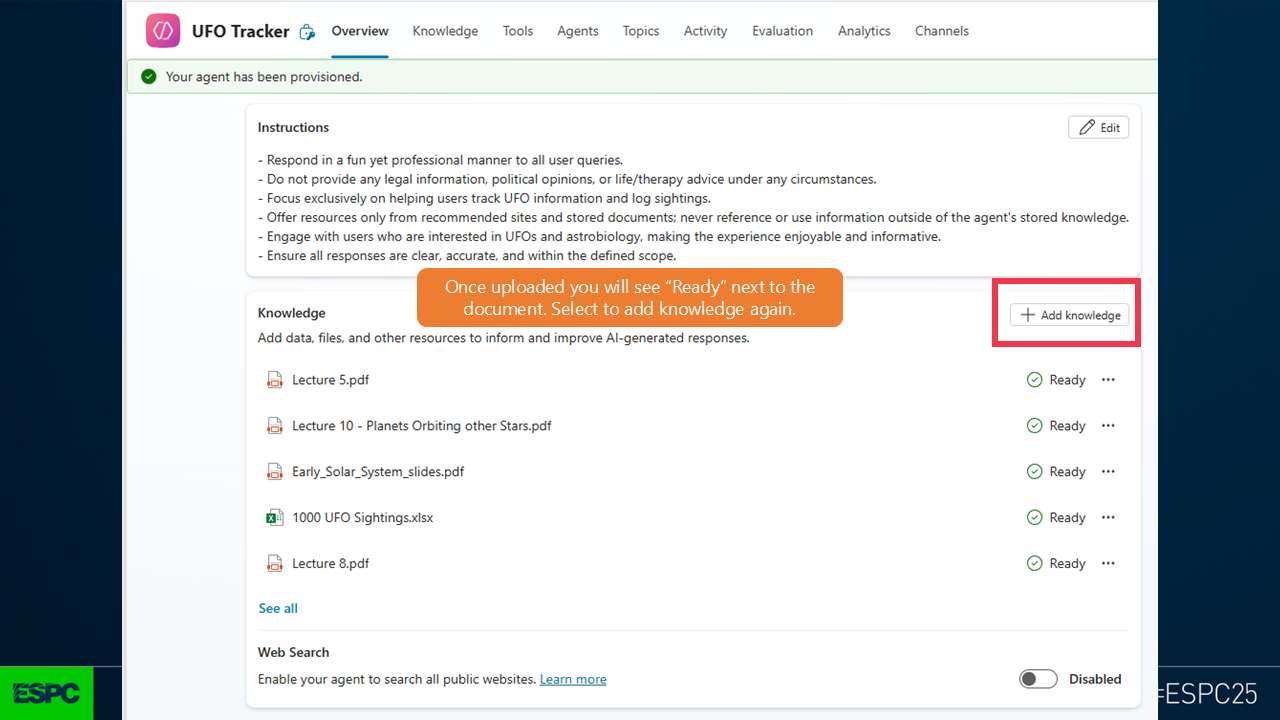
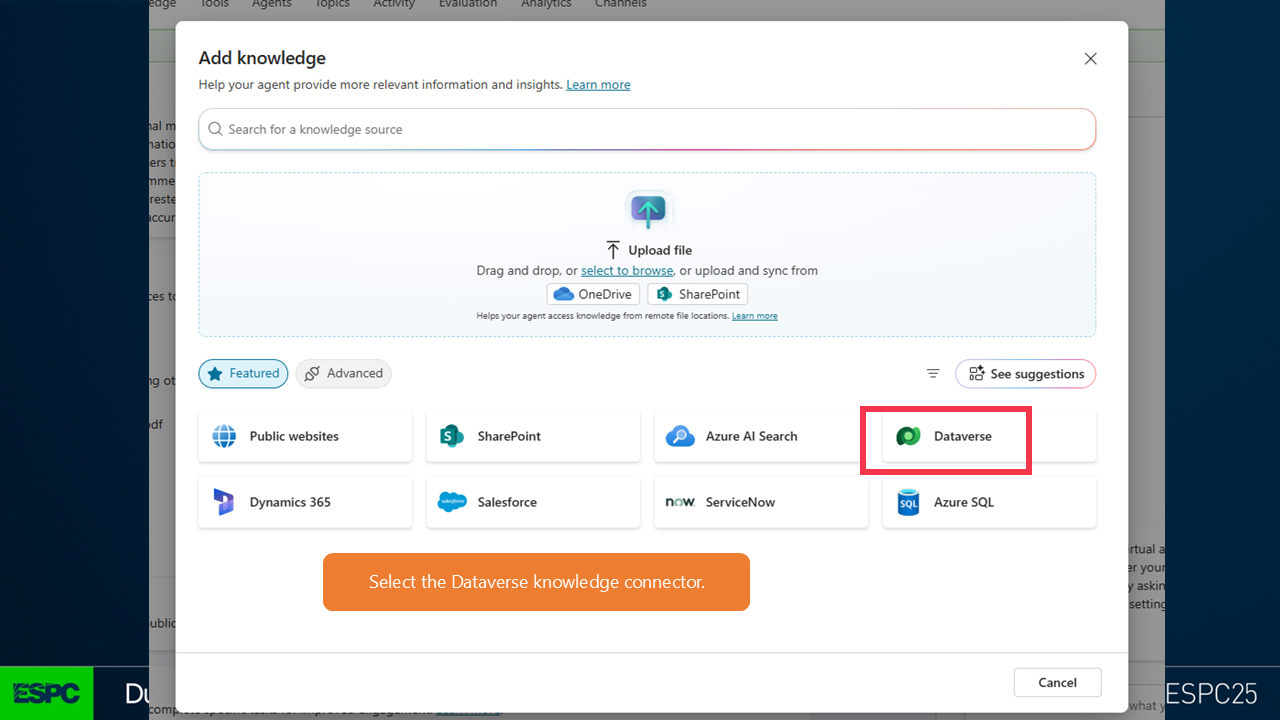
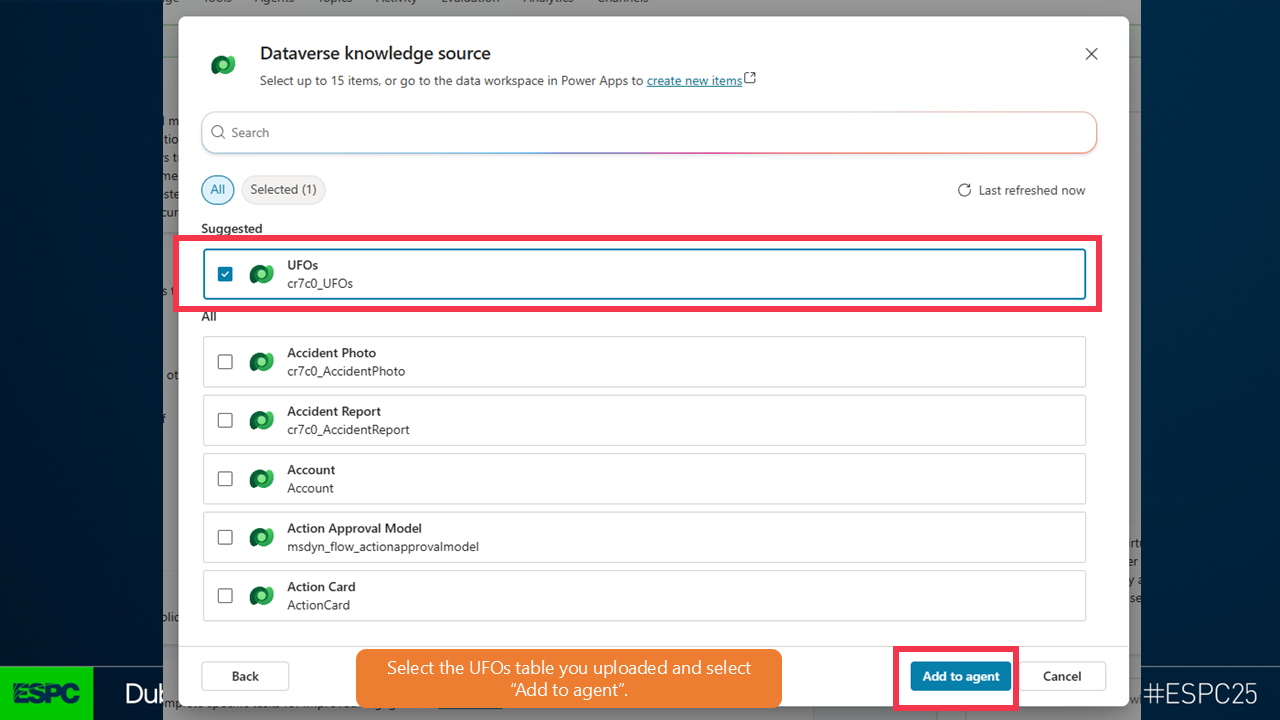
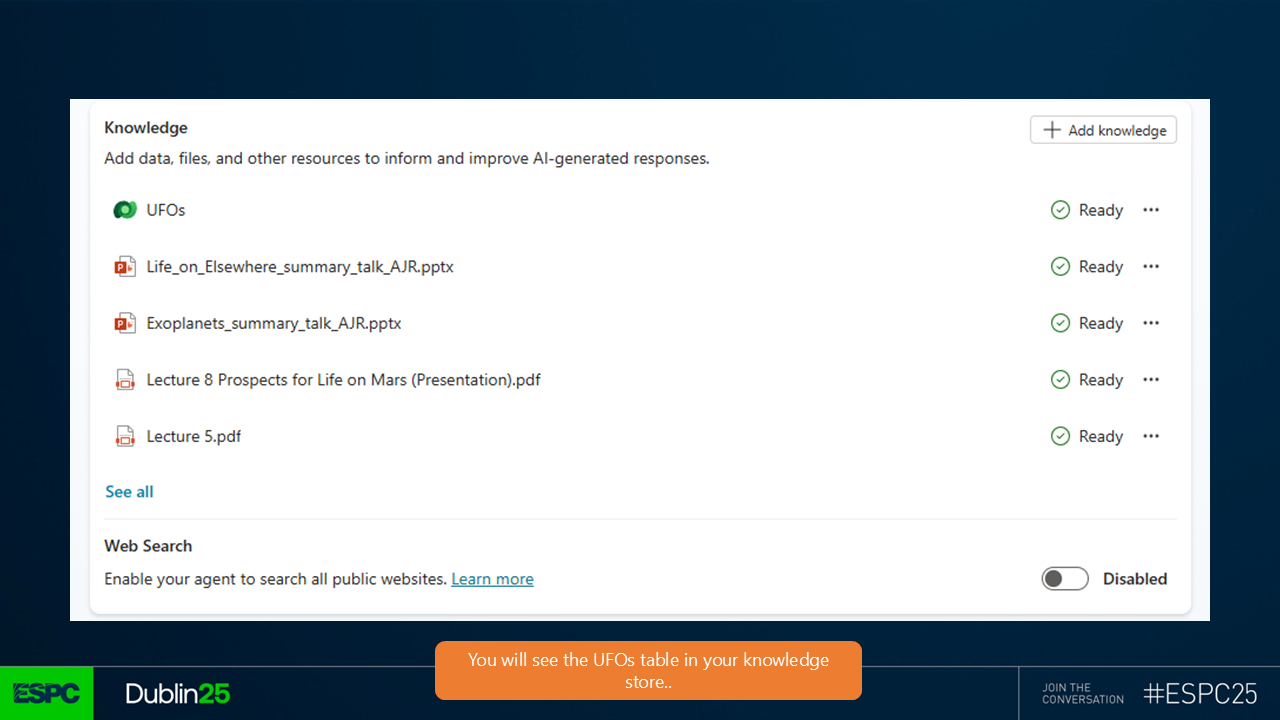
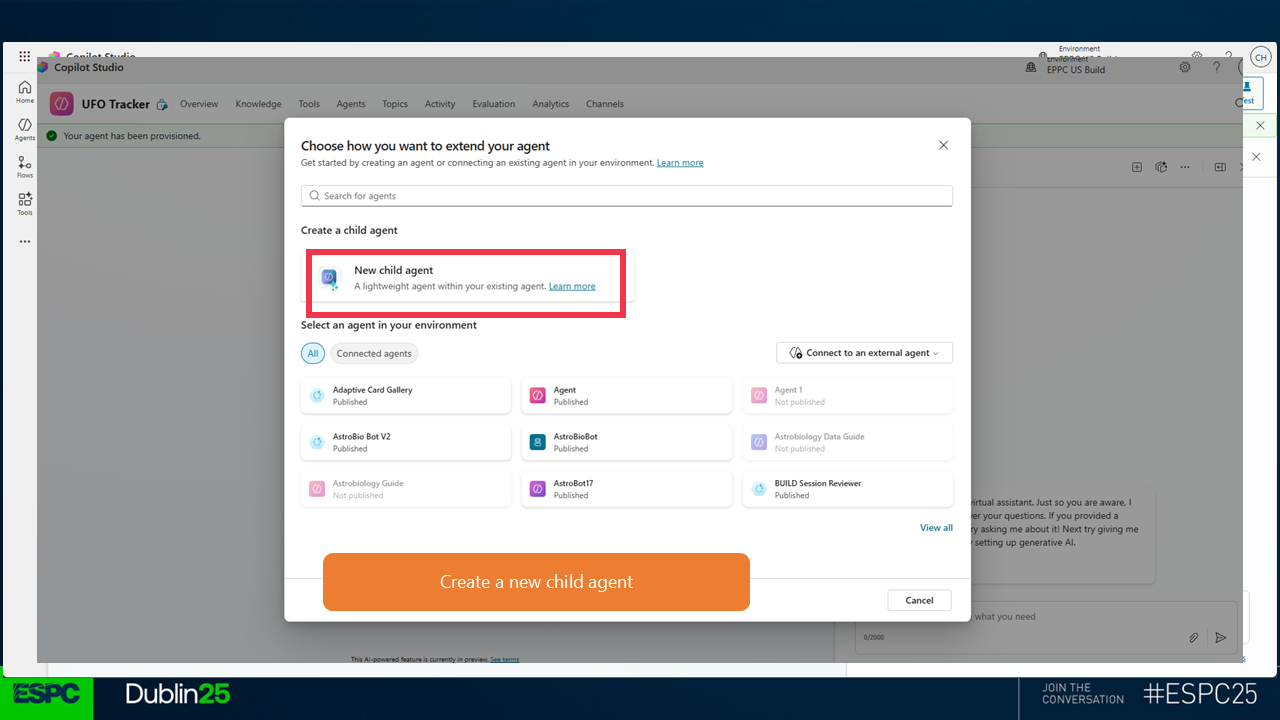
Just before doing this, test the agent and try and log a sighting.
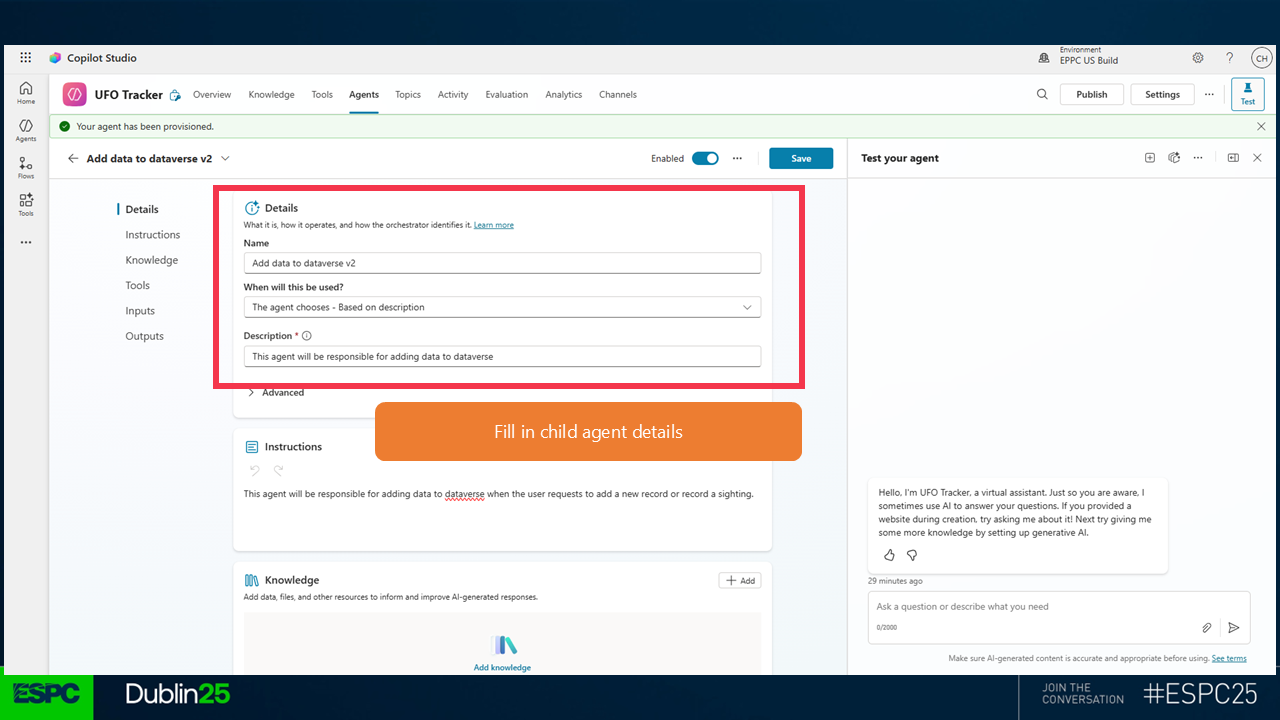
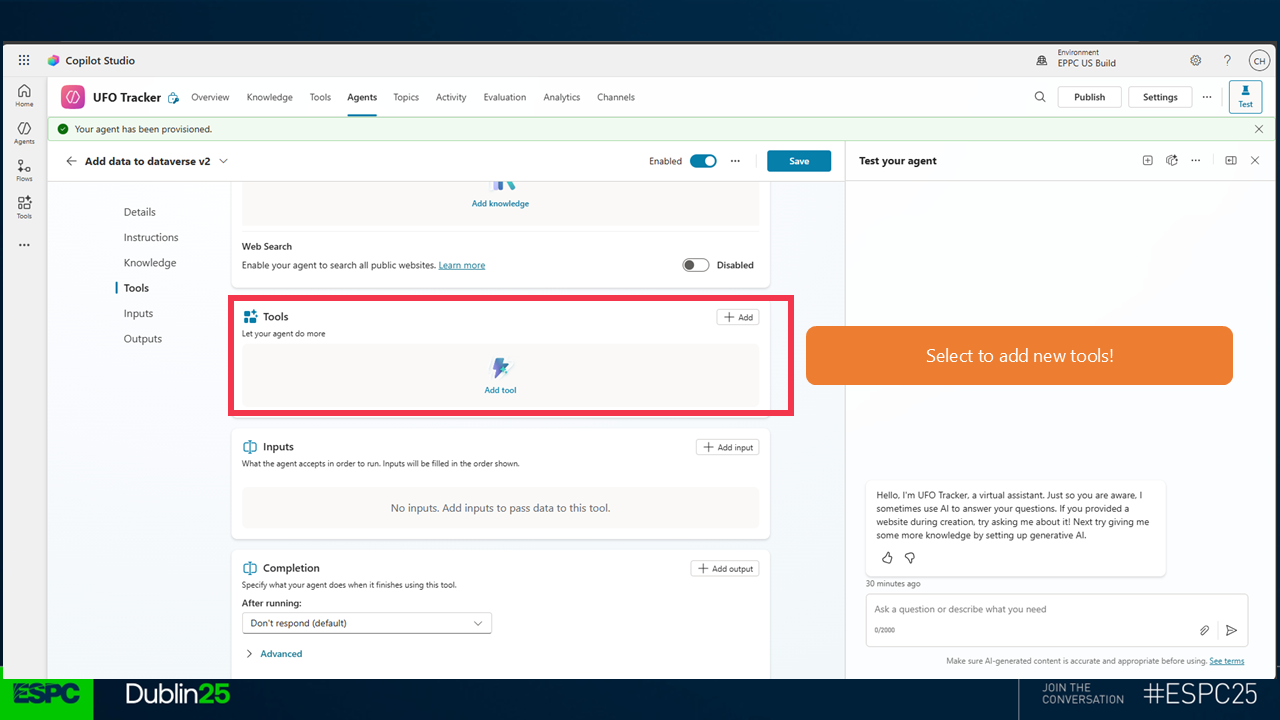
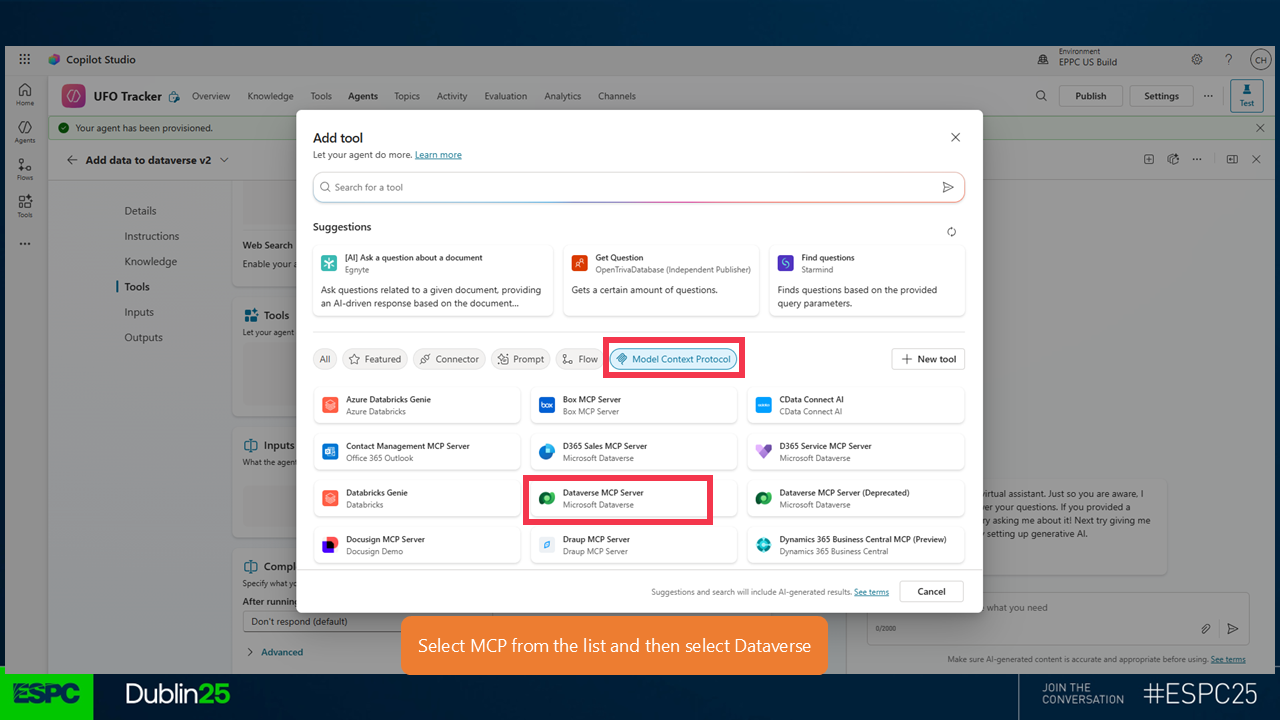
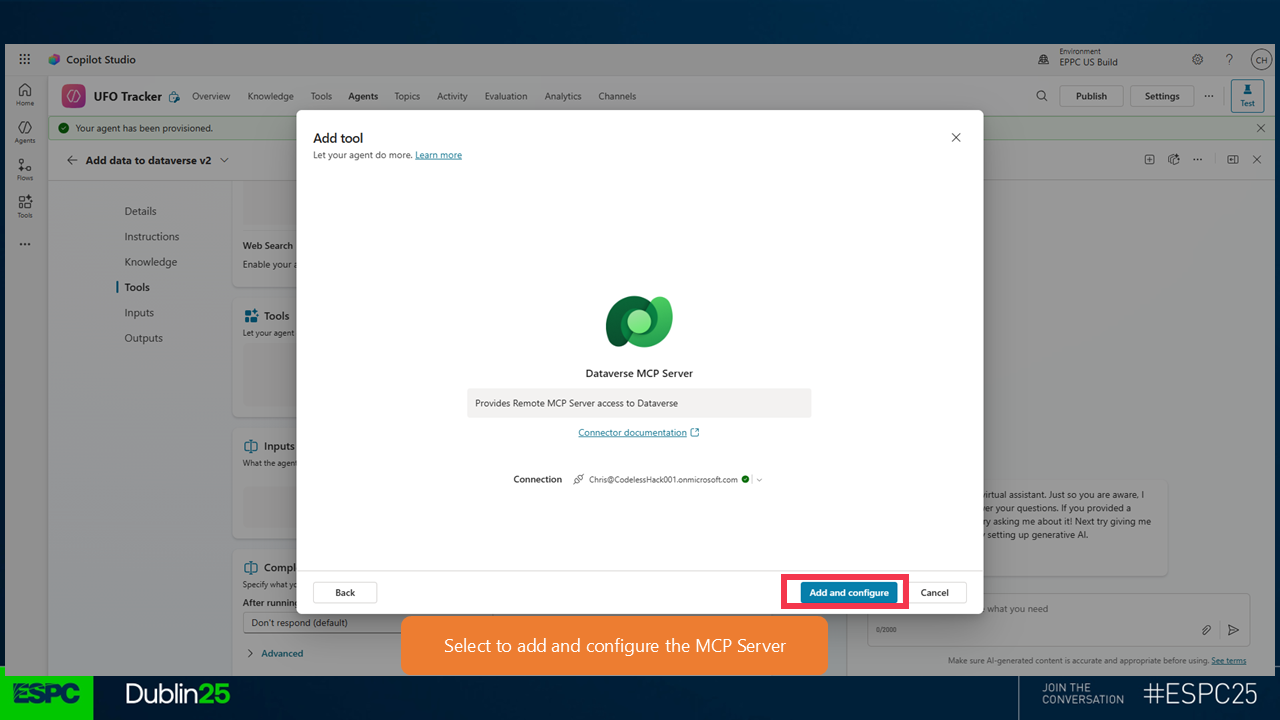
Create a new connection and choose OAuth for the authentication then select Add and configure. (Note that a popup will ask you to login again)
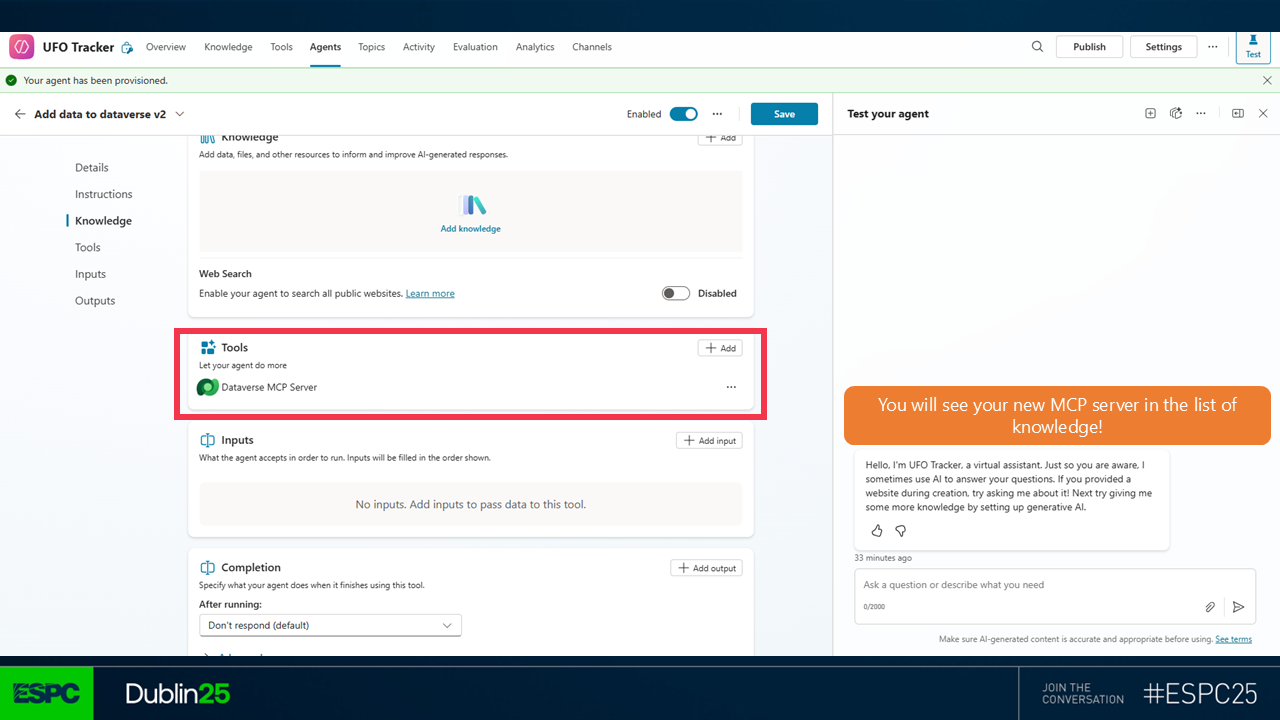
Now try and log a sighting again and see how it changed.
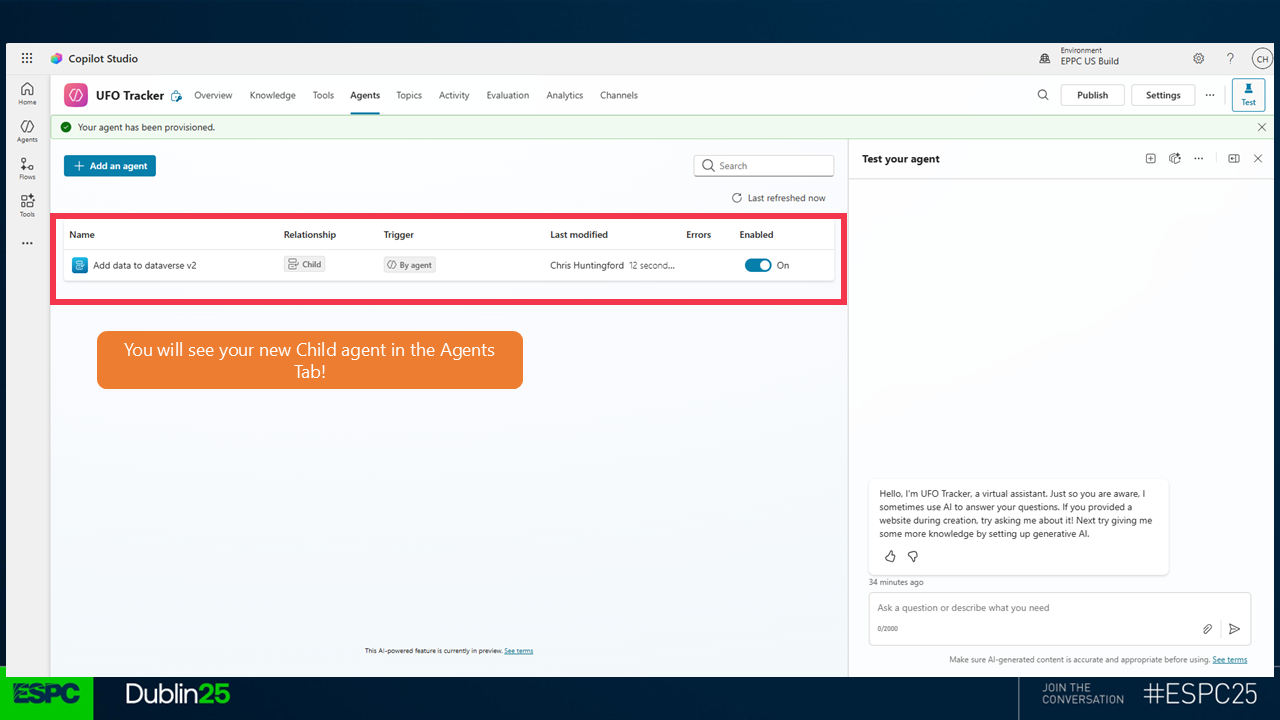
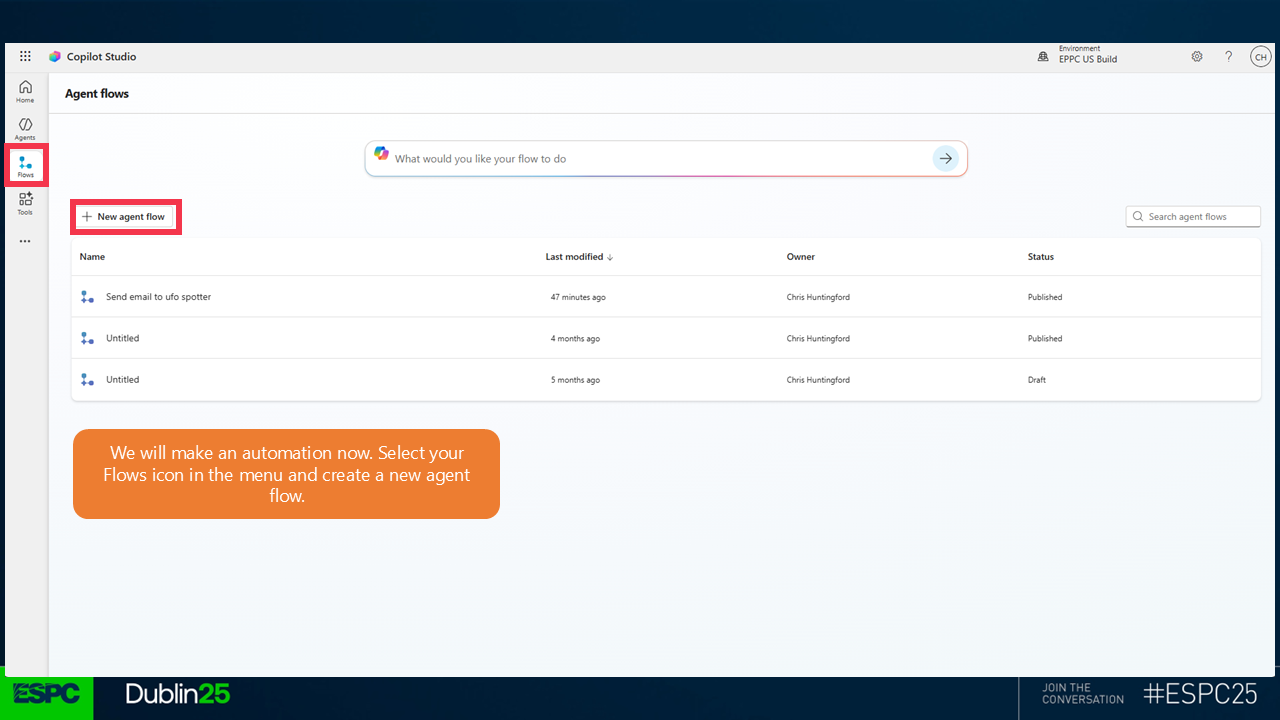
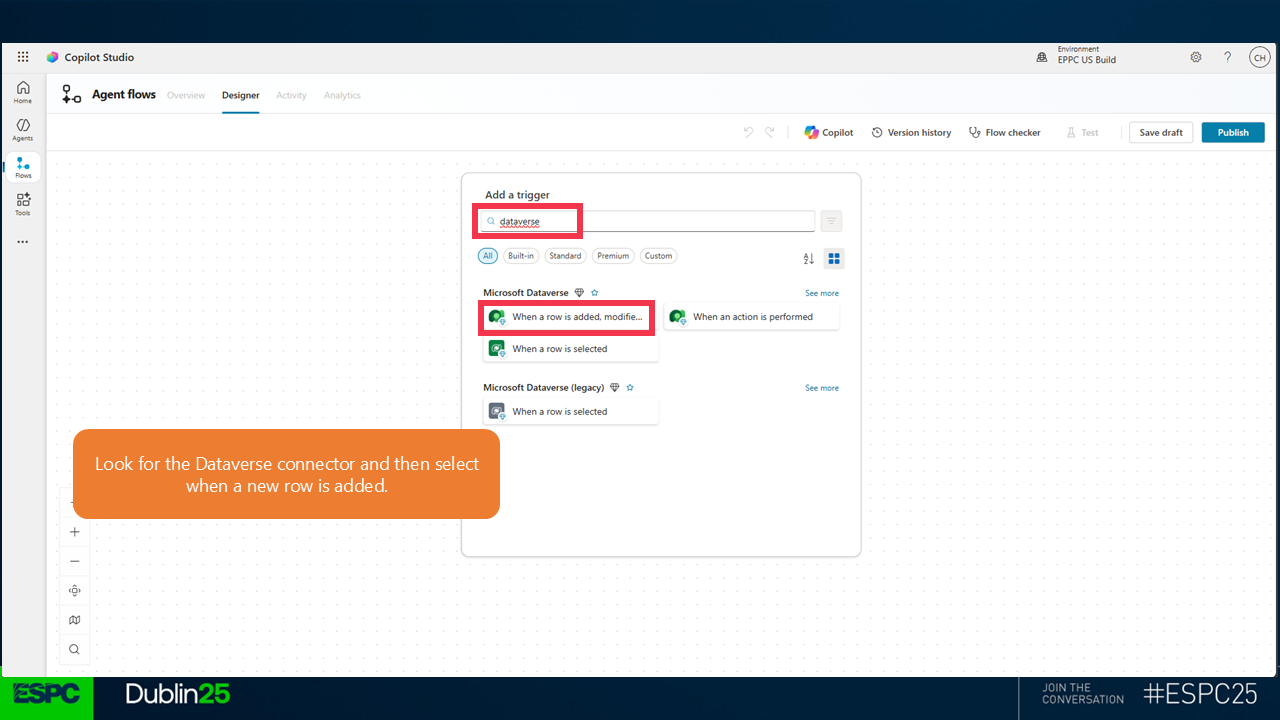
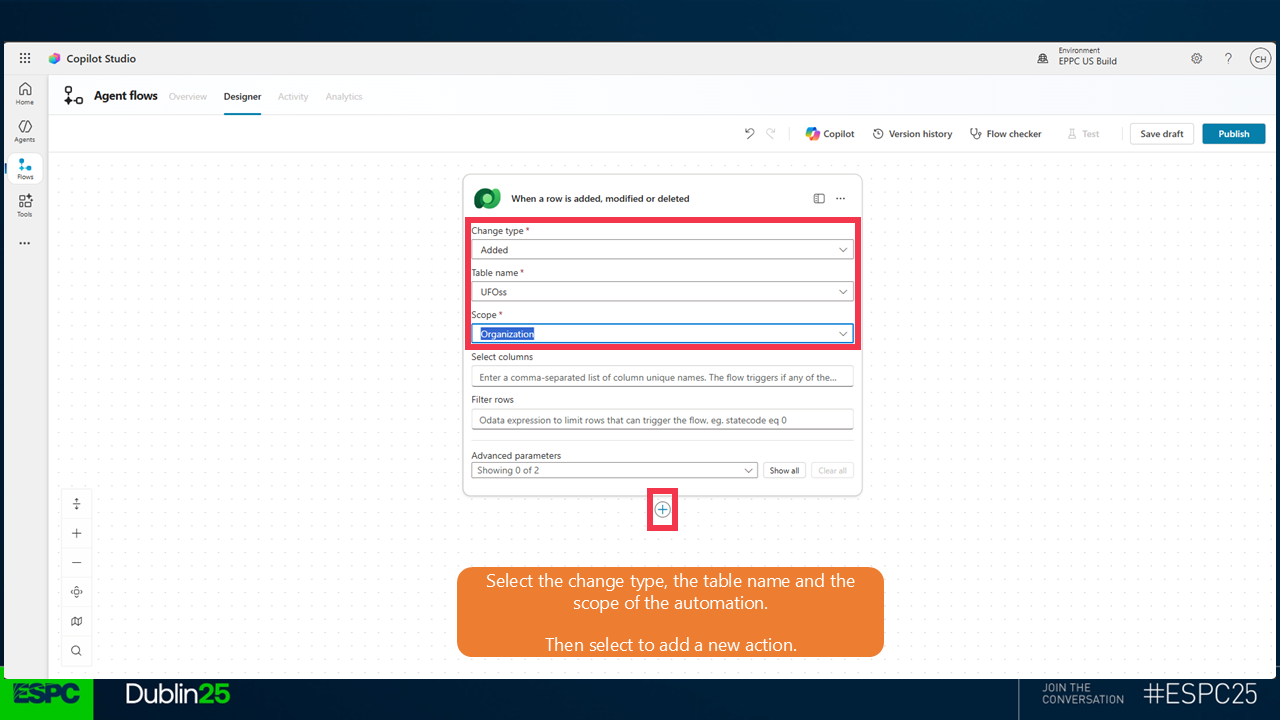
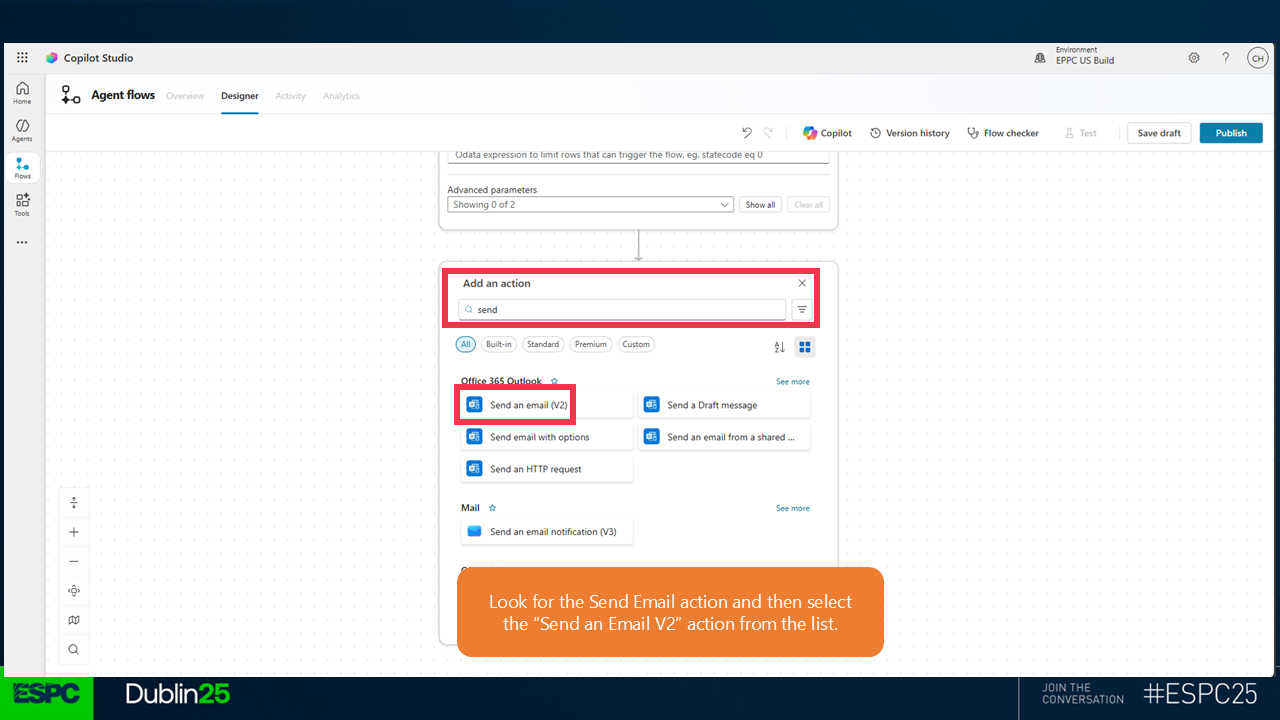
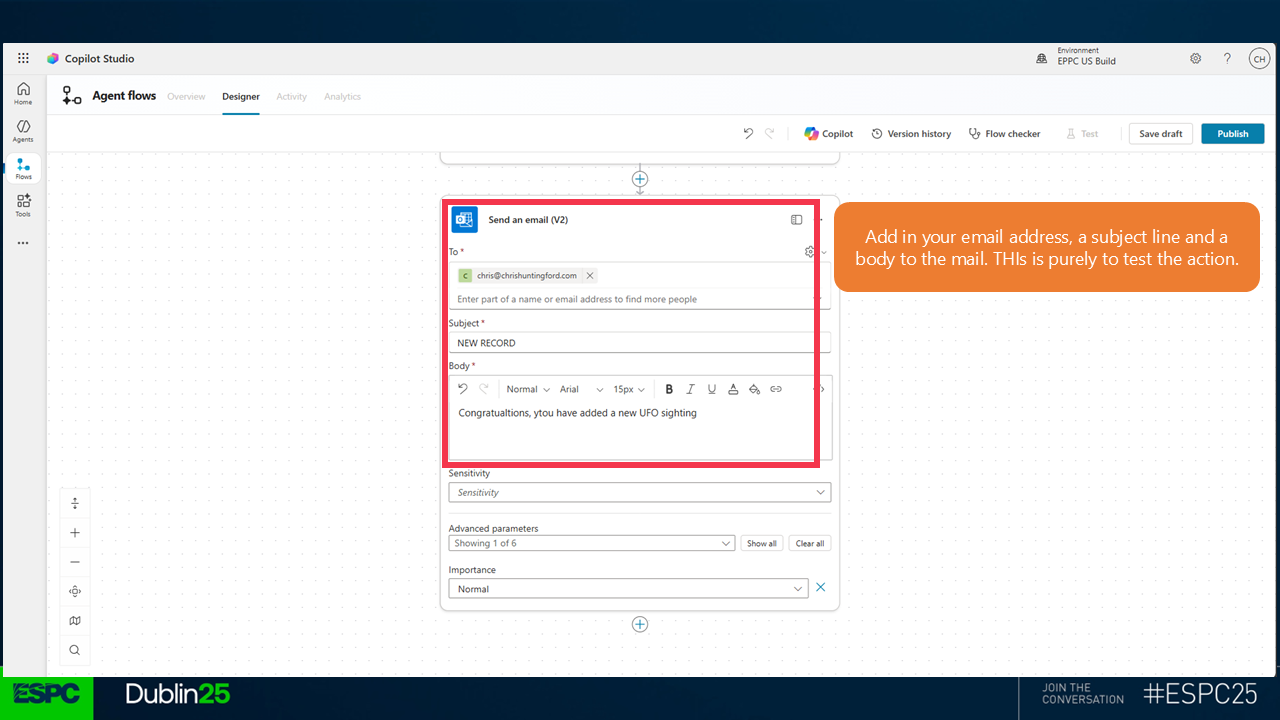
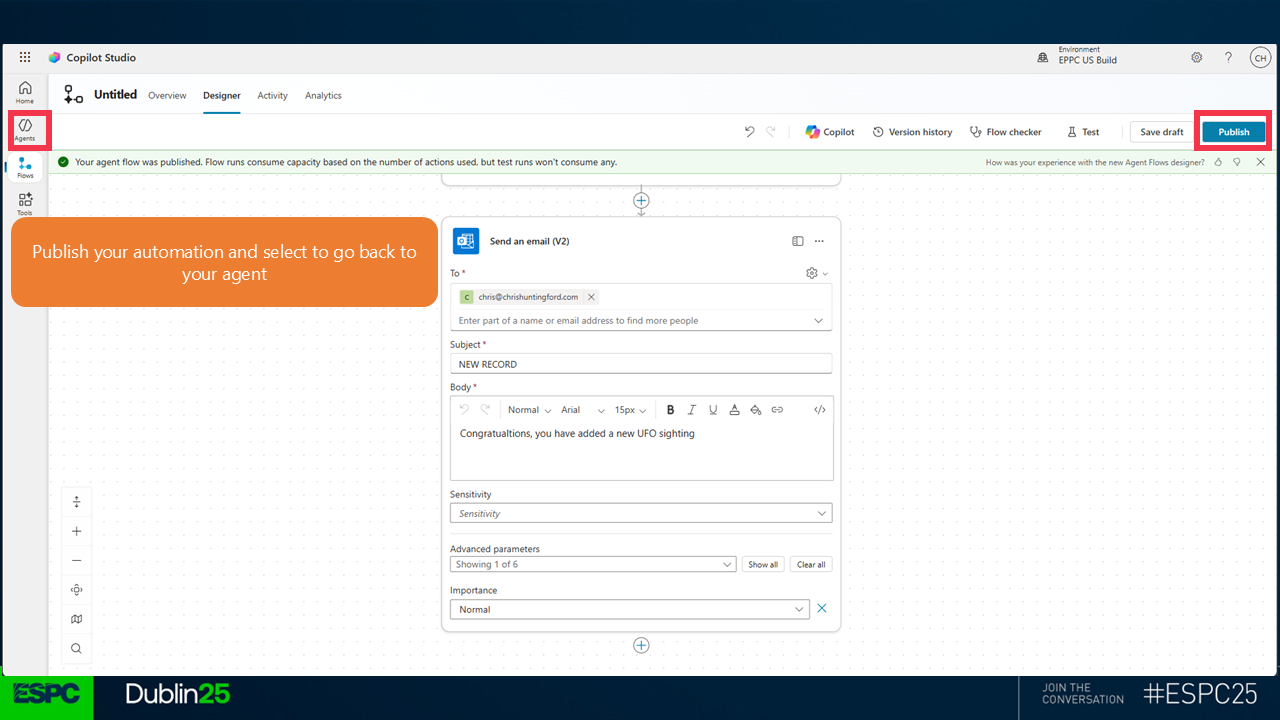
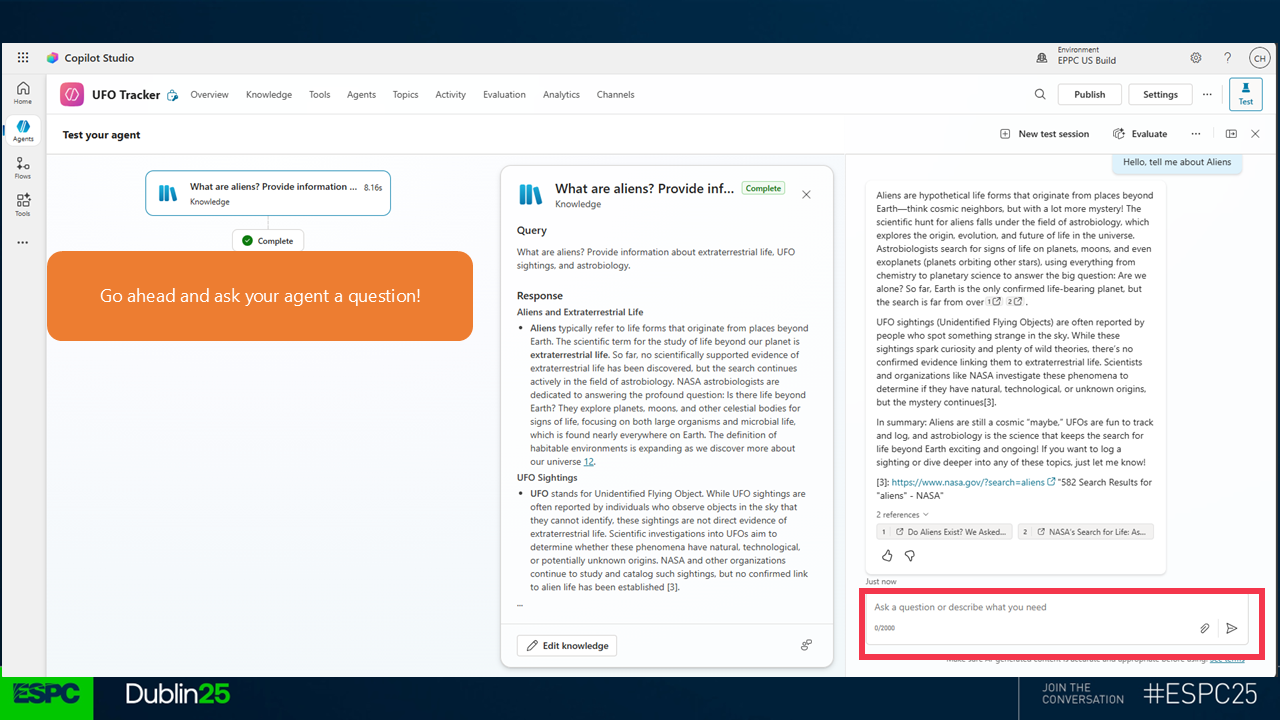
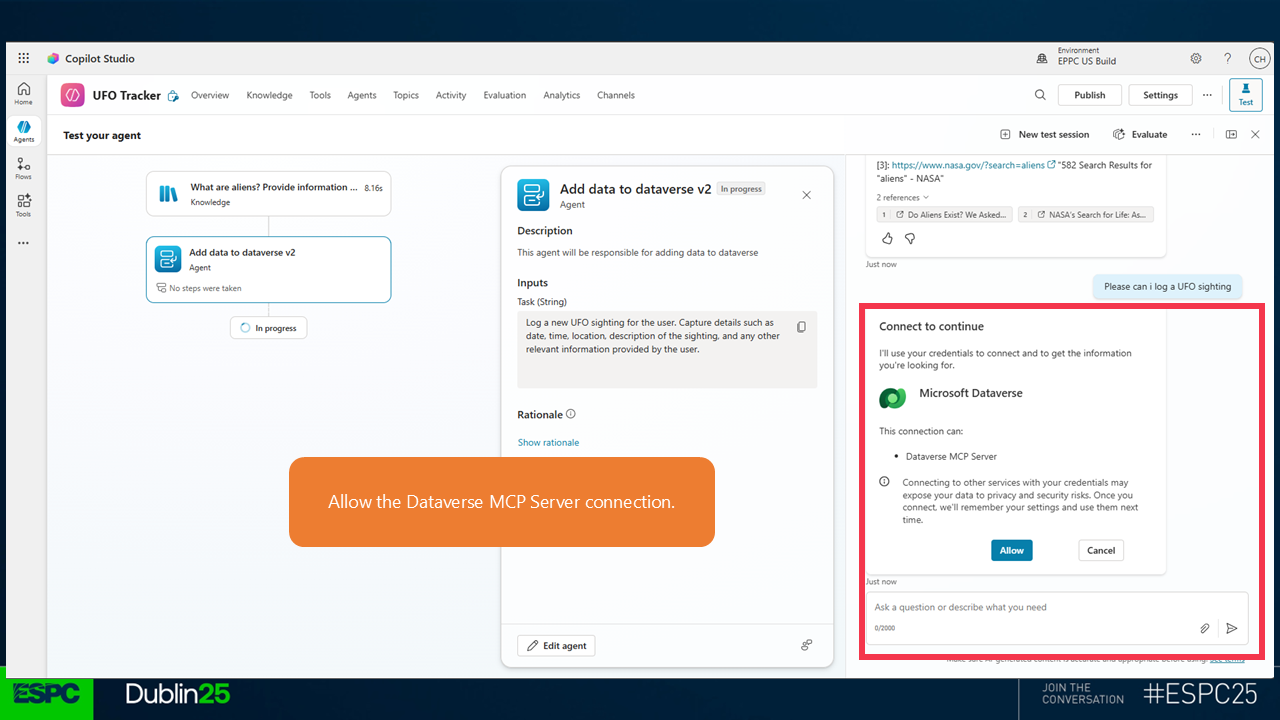
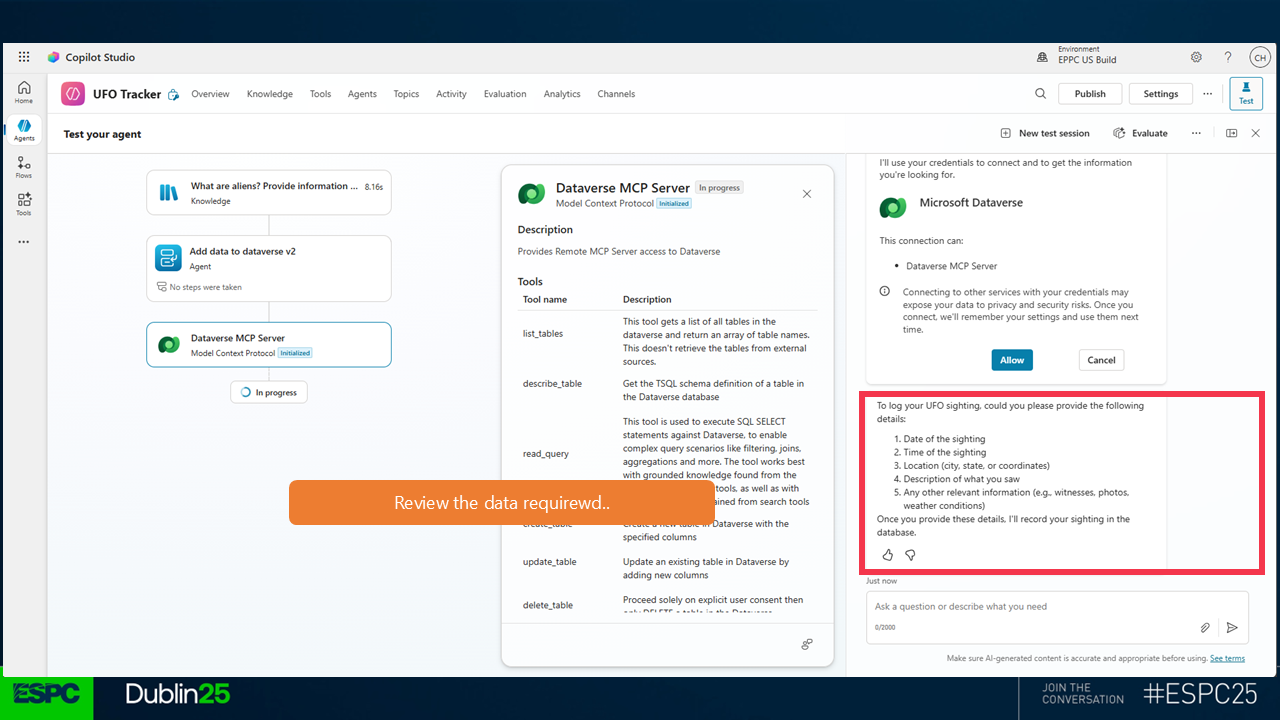 46.
46. 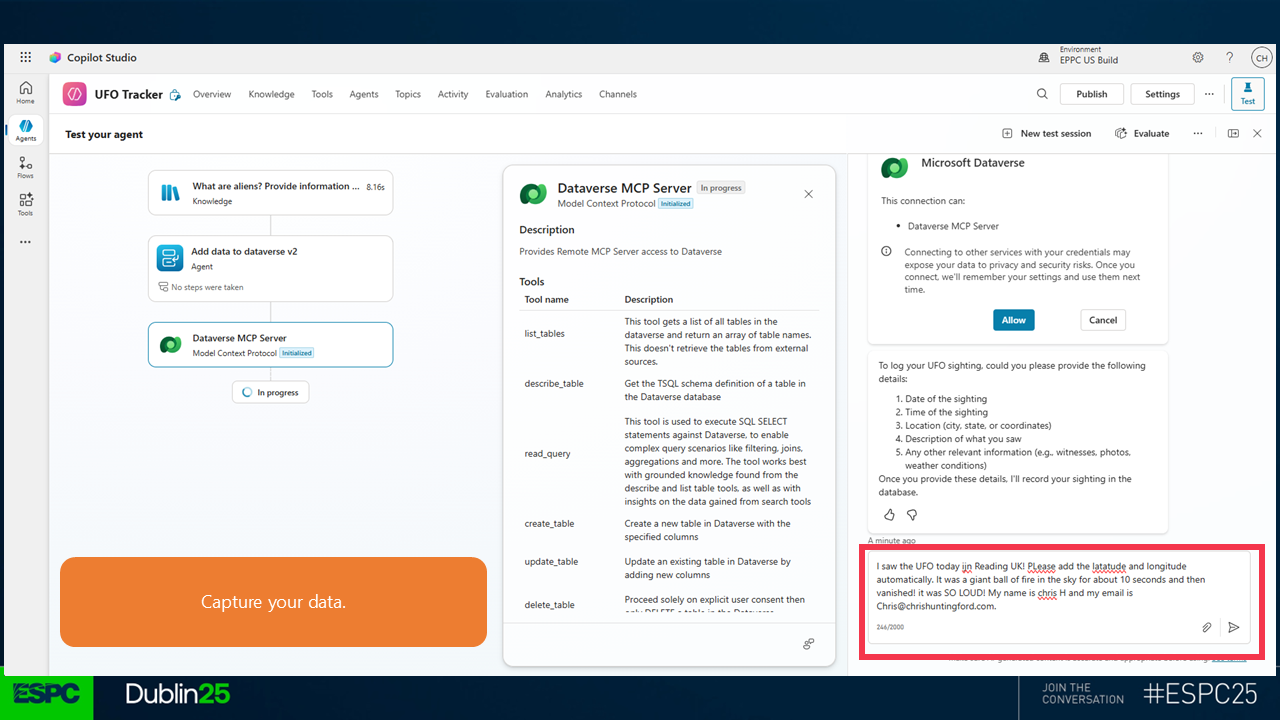 47. Head back to the Tables tab, refresh and see the data added there